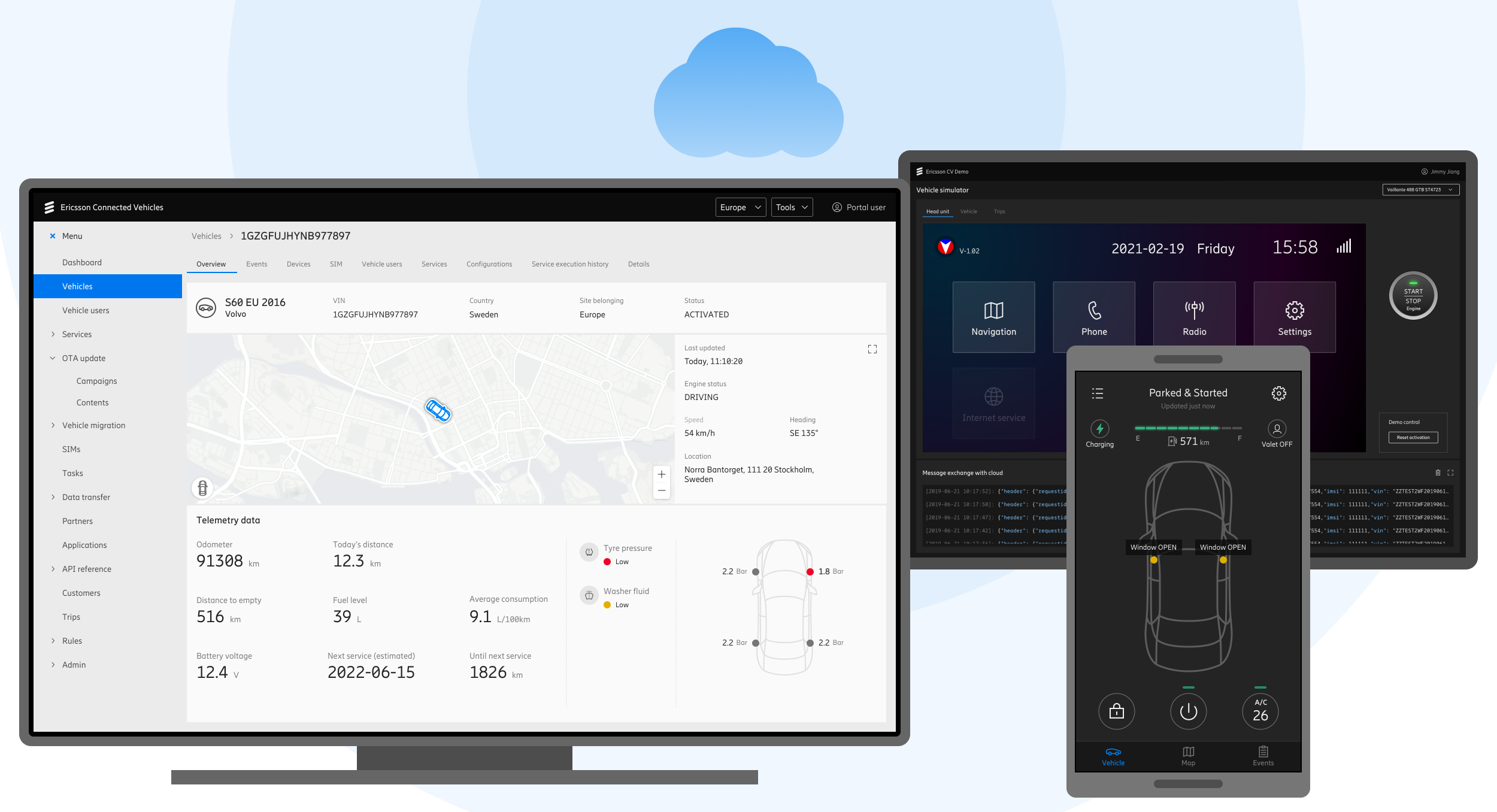
Built for automotive manufacturers, the Connected Vehicles platform connects over 20 million vehicles across 150 countries.
2019 - 2023
UX Designer in a 100+ member team
Product launched. Signed a contract with a European automotive OEM. Near the end of the delivery phase, the project was discontinued because the company decided to sell its entire IoT business.
Background
Connected Vehicles is a cloud-based platform that enables automotive OEMs to manage their vehicles and services worldwide.
As a dedicated UX designer on this project, I delivered simple yet flexible UX solutions to complex challenges. By collaborating with Technical Product Managers, Product Owners, and Development Leads, I ensured the usability of final deliverables.
Design Process
The design process started with UX research. We needed to fully understand clients' needs and align our strategy.
Personas
These key personas were developed to represent the primary users of our product within an automotive OEM.
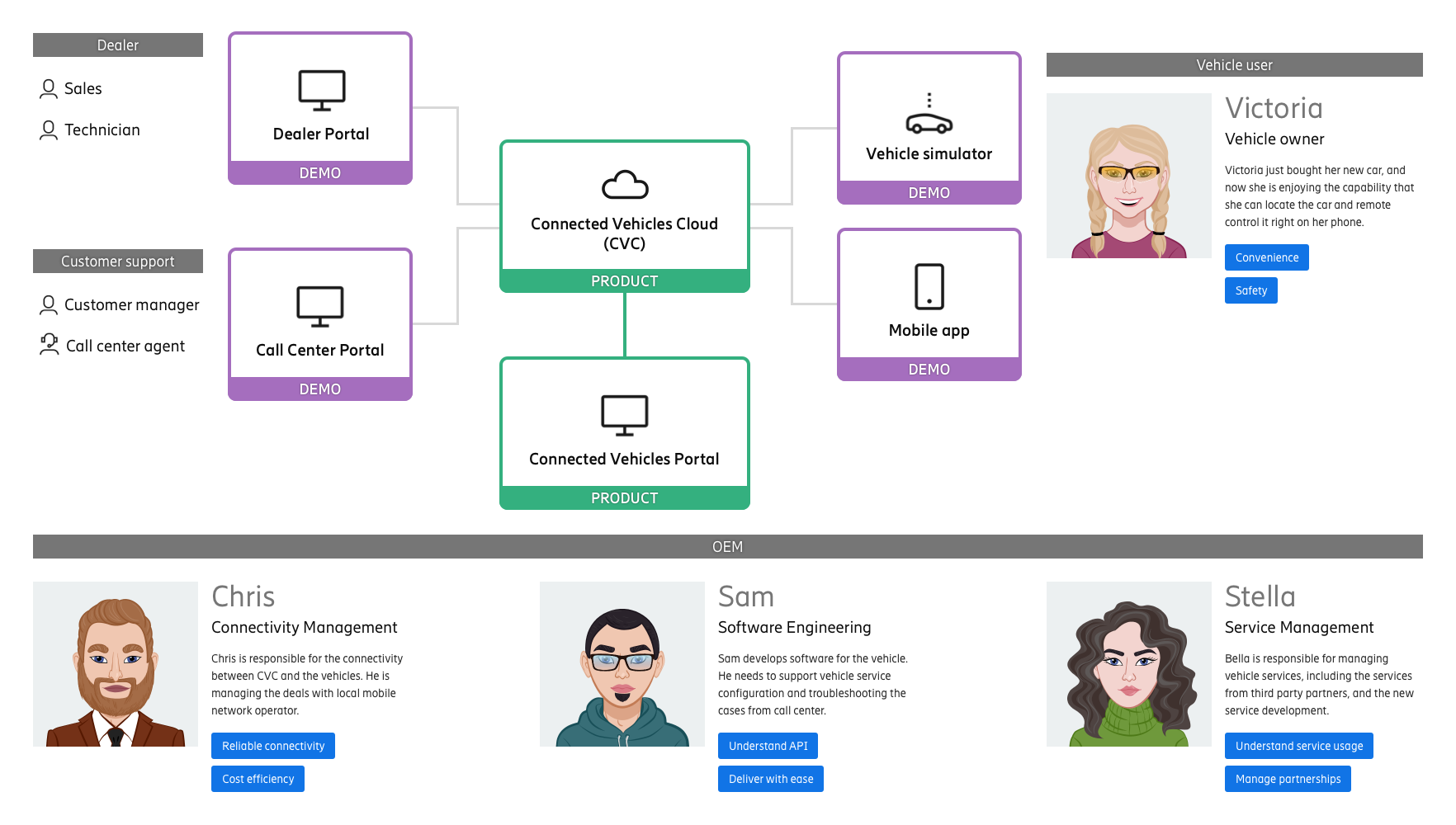
We aligned to the business strategy of breaking down the product into different feature modules, so they can be sold separately. And we defined the overall design goals.
Product Design Goals
- Each feature module can run independently as a product
- The UX needs to be intuitive to different roles in automotive OEMs
Journey Map
After defining different feature modules, we dived into each of them to continue the research.
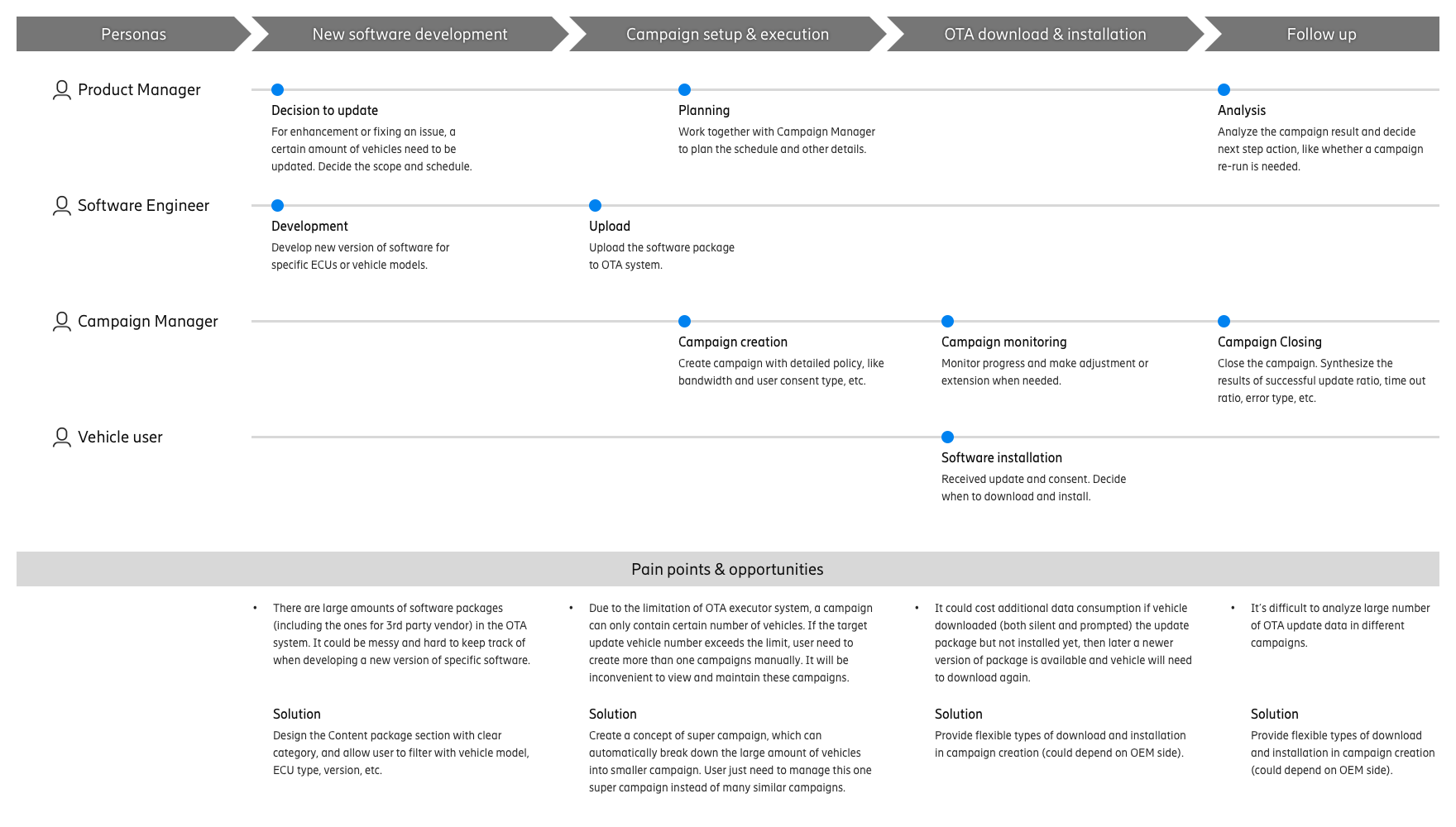
Below is a journey map of the vehicle OTA Update feature module. It shows different roles' tasks during an OTA update campaign, and the possible pain points, which are also our design opportunities.
Competitive Audit
We conducted competitive research, and studied their information architecture and functional designs.
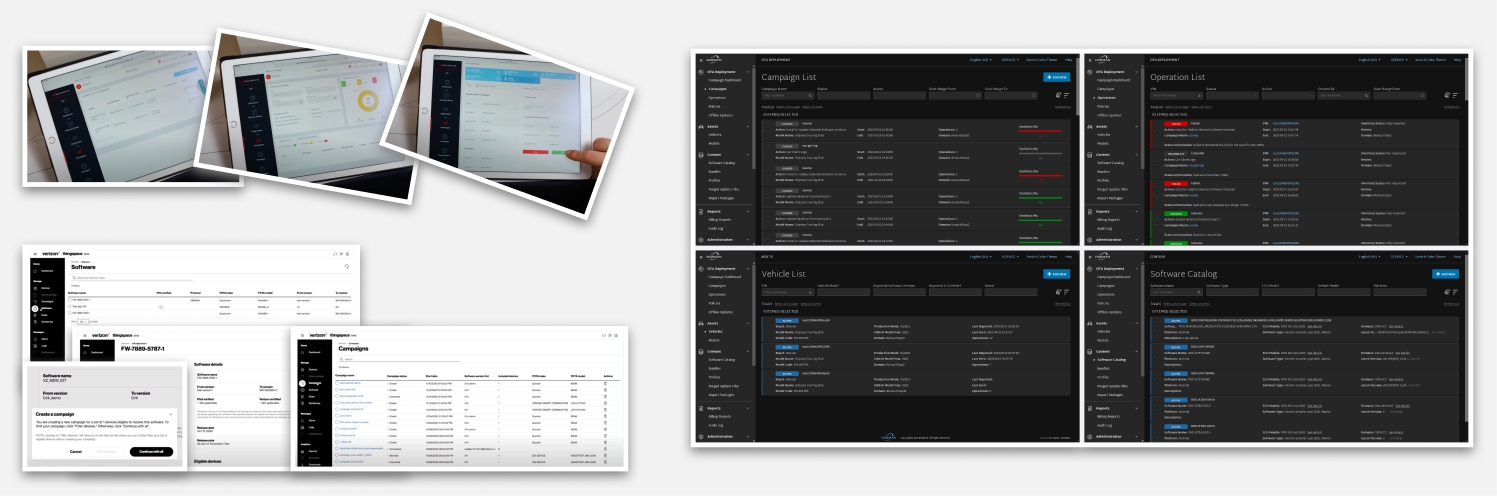
Screens from existing products on the market
Workflow
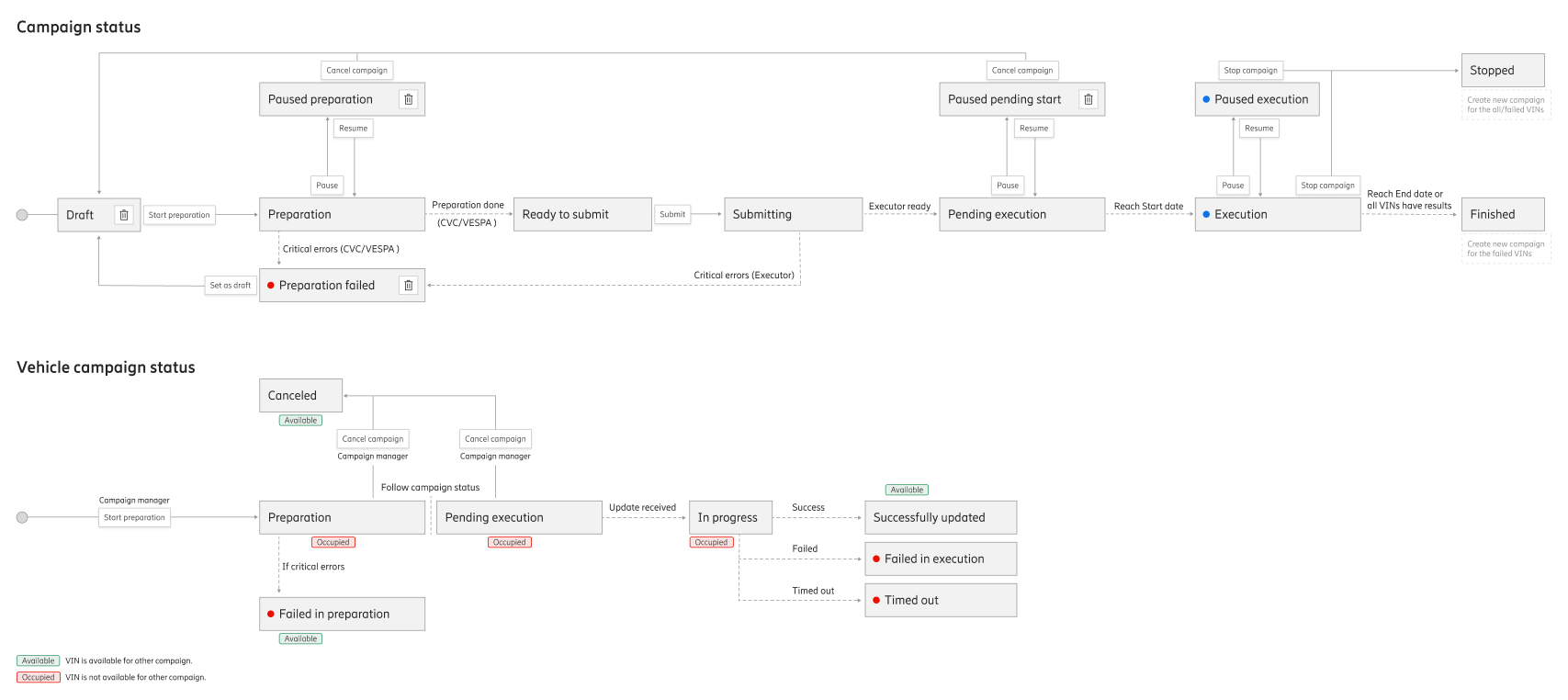
After all the OTA update research and further interviews with our potential client, we defined the main OTA update workflow and the state machine of the campaign and vehicles during the update process.
Drafts & Detailed UI
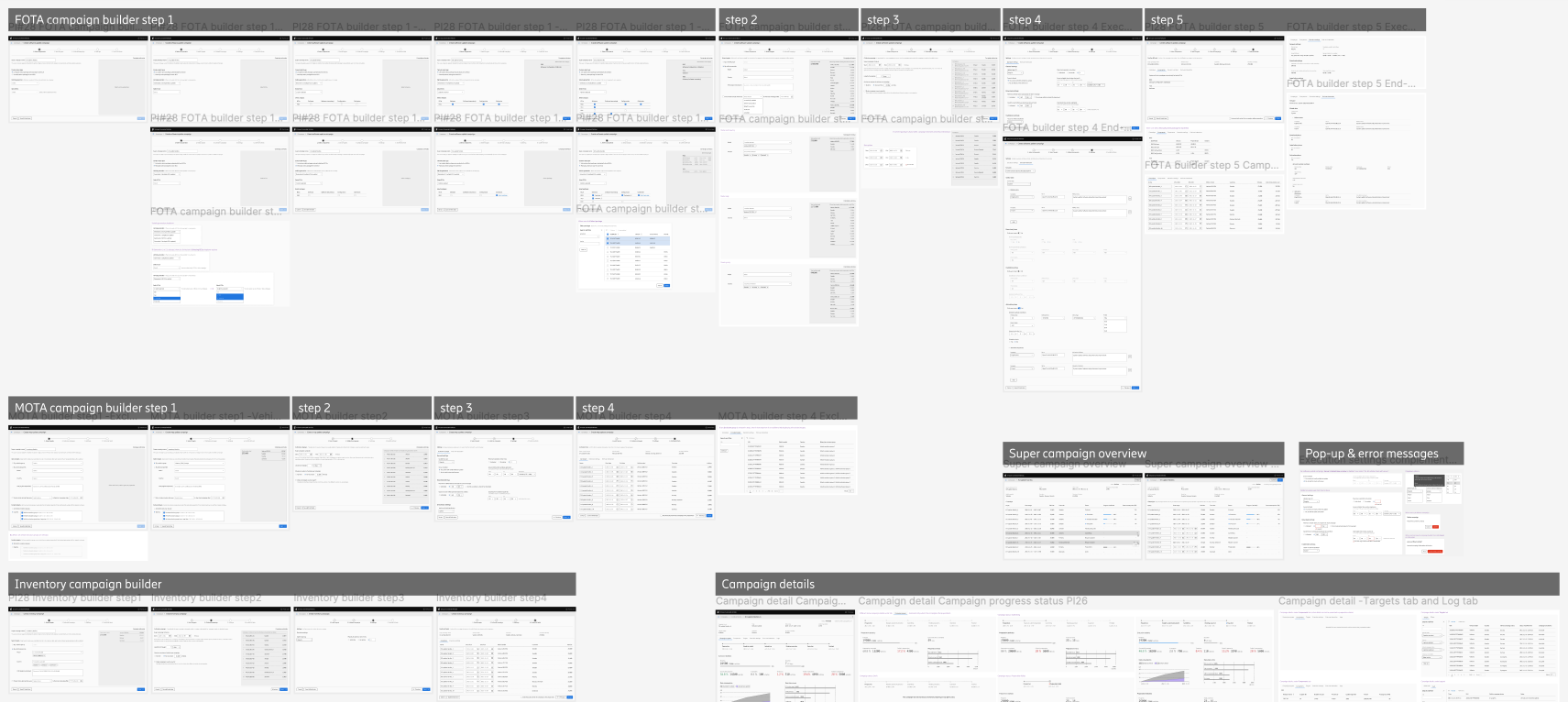
After defining the key actions and steps, we started creating wireframes and drafts, then iterated with stakeholders until aligning on the detailed interactions and UI entitlements.
Finalized Design
Before handing over to dev, we conducted usability test and fine-tuned the detailed visual design. Below are some samples of the finalized design screens.
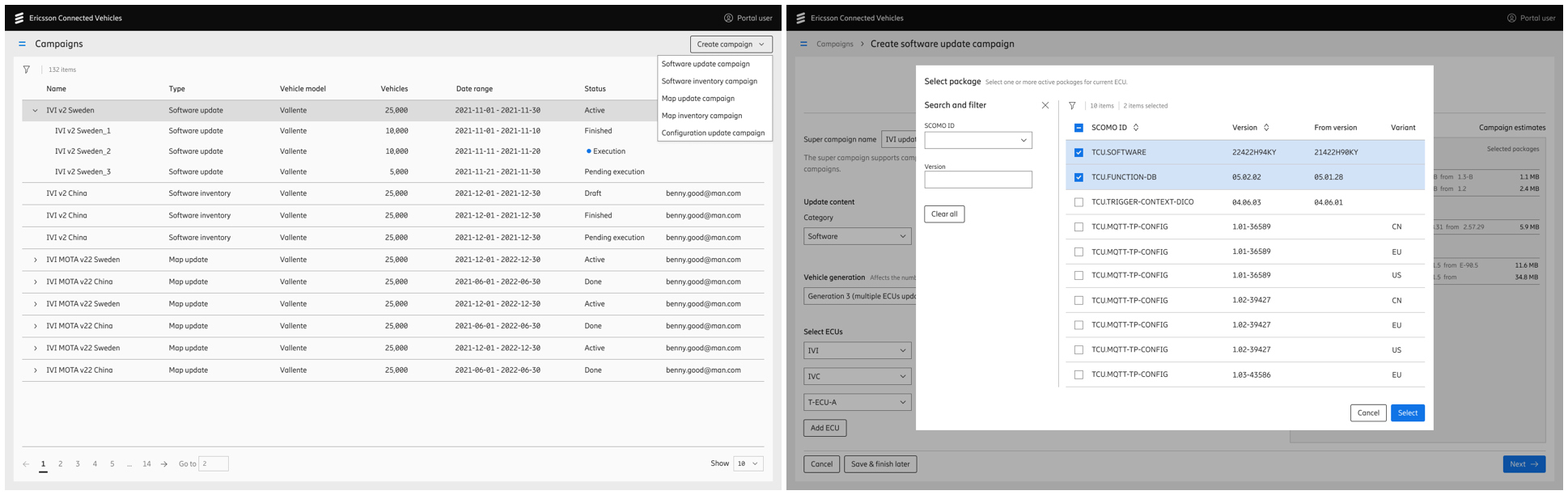
OTA Update module
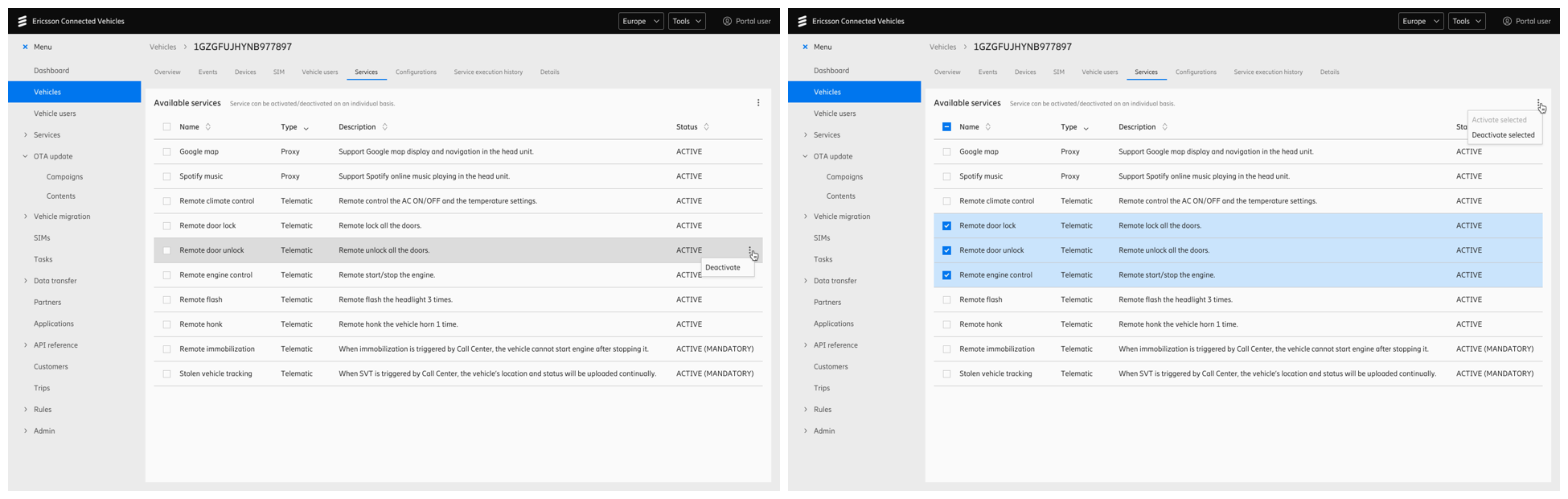
Vehicle Service Management module
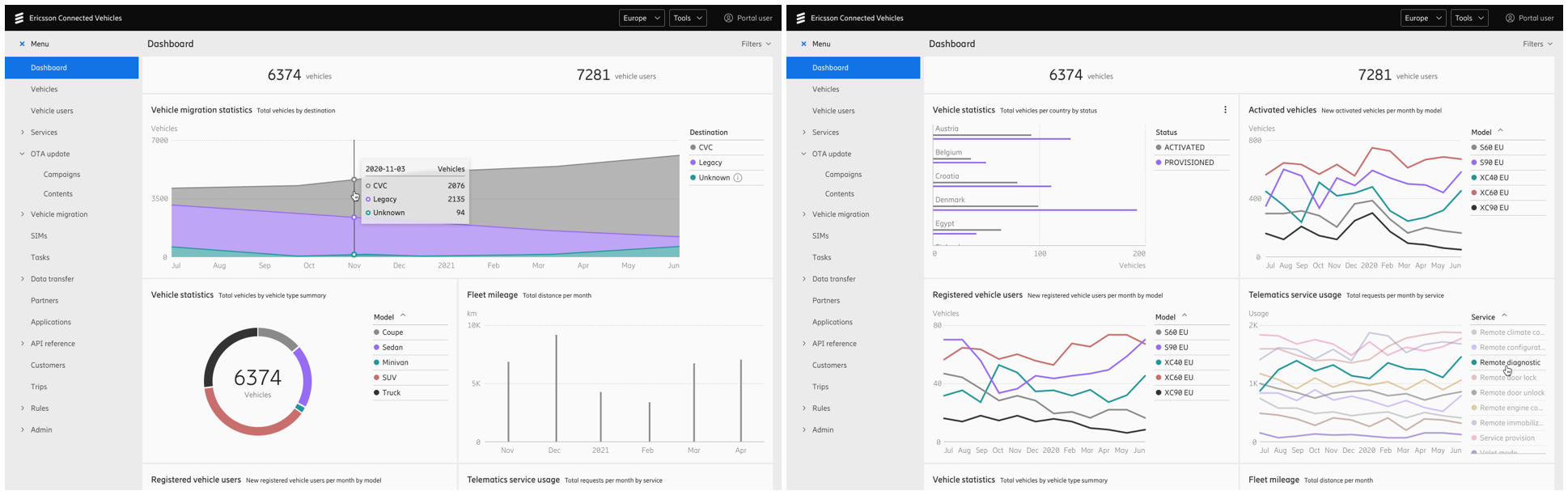
Data Analytics module
With a flexible design, the main feature modules can be sold as a bundle or individually. For example, clients can purchase the platform with Vehicle Service Management module, or the OTA Update module, or both at the same time.
After feature development, we conducted implementation reviews, provided correction suggestions, and logged any unresolved defects for future fixes.
Challenge 1: Technical Constraint
Encountering technical constraints is common in product development. When designing the OTA update feature, we noticed that a specific technical constraint was significantly impacting the UX.
Problem statement
When building an OTA update campaign, the campaign manager selected the target vehicles mainly based on country, model, and year. A large number of vehicles may be updated in one batch. However, due to a backend system constraint, an error may occur during campaign execution if the targeted vehicle count exceeds 10,000.
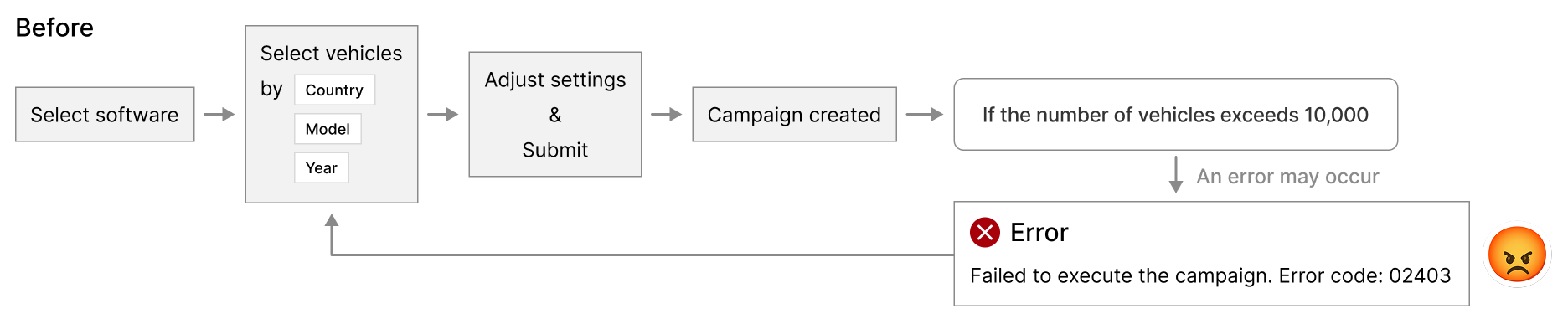
When the error happened, users had to either go back, narrow the selection, and set up the campaign again, or create additional campaigns for the remaining vehicles. It's a frustrating experience.
Solution
Instead of thinking about "how to help users select vehicles without exceeding the limit", we designed an approach to automatically split the campaign into smaller sub-campaigns, each containing no more than 10,000 vehicles.
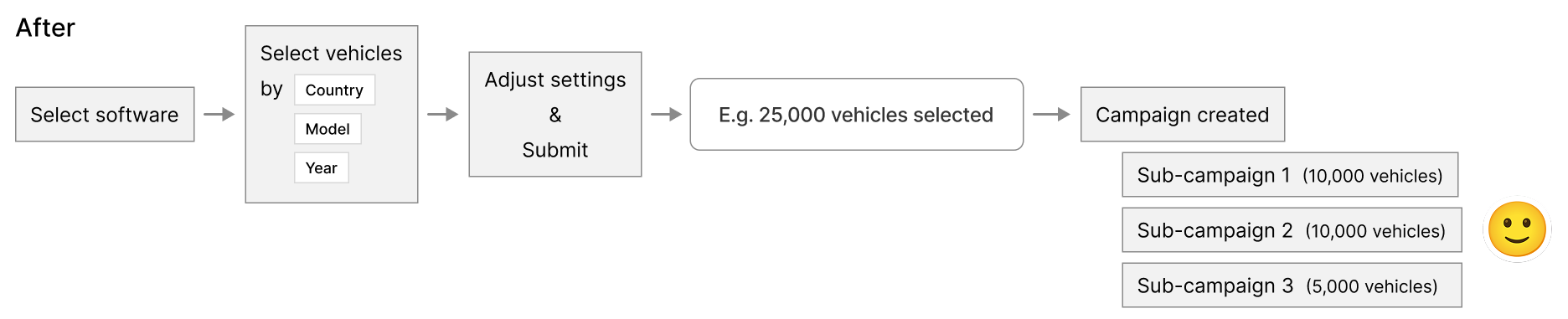
From the user's perspective, these sub-campaigns are manageable as a whole campaign, but on the backend they are processed as standalone campaigns and can be executed with the current system.
When designing this as a product feature, we allow users to calibrate the campaign by setting the maximum vehicle count and the maximum data consumption per campaign. Once the campaign is set up, users can monitor and manage the main campaign along with its sub-campaigns.
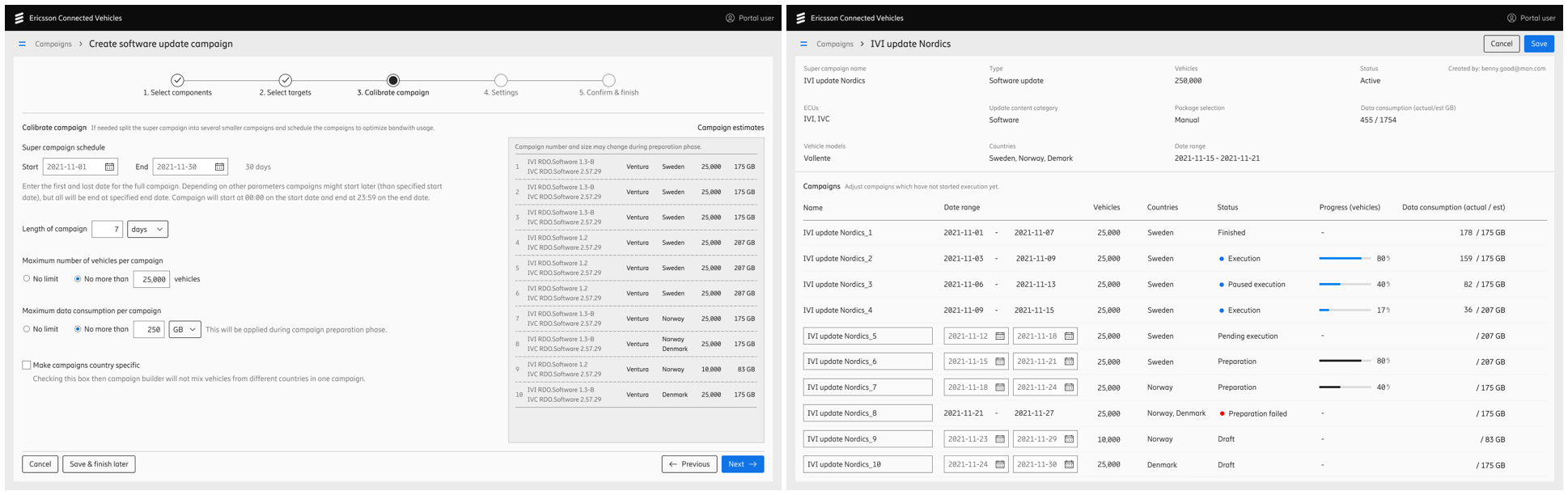
This solution addressed the pain point caused by the technical constraint, making the product more flexible and intuitive.
Challenge 2: Customer Engagement
The biggest challenge of this project came from a higher level: when we launched the product, we didn't win a single contract.
Problem statement
We could hardly receive valid feedback without real OEM clients using our product in their daily operations. Our goal was to support customer engagement from a UX perspective.
As reported by our sales team, potential clients seem to need more clarity on how our connectivity capabilities support the daily operations of automotive OEMs.
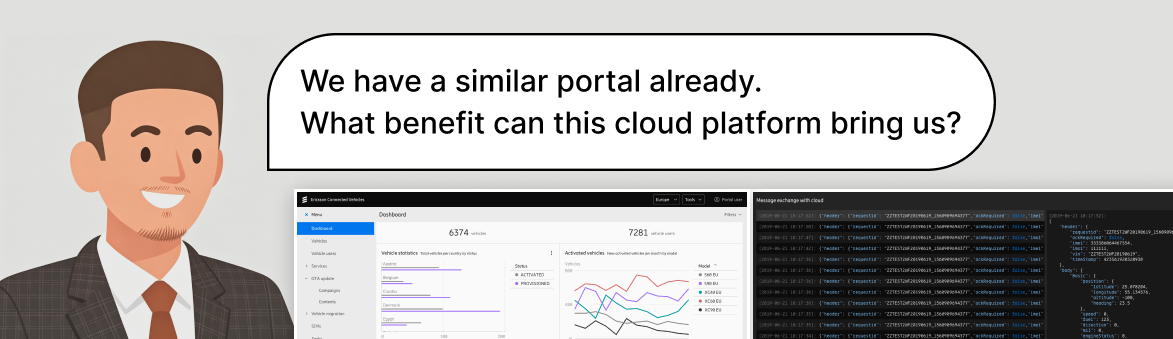
The product demo was filled with command-line and code interfaces.
We realized that simply showcasing the product wasn't enough. To enhance customer engagement, we needed a more effective way to demonstrate the business value our product delivers.
Solution
Low latency is crucial to the connected vehicle business as it directly impacts safety. This is where our superior network capability becomes a key strength of our product.
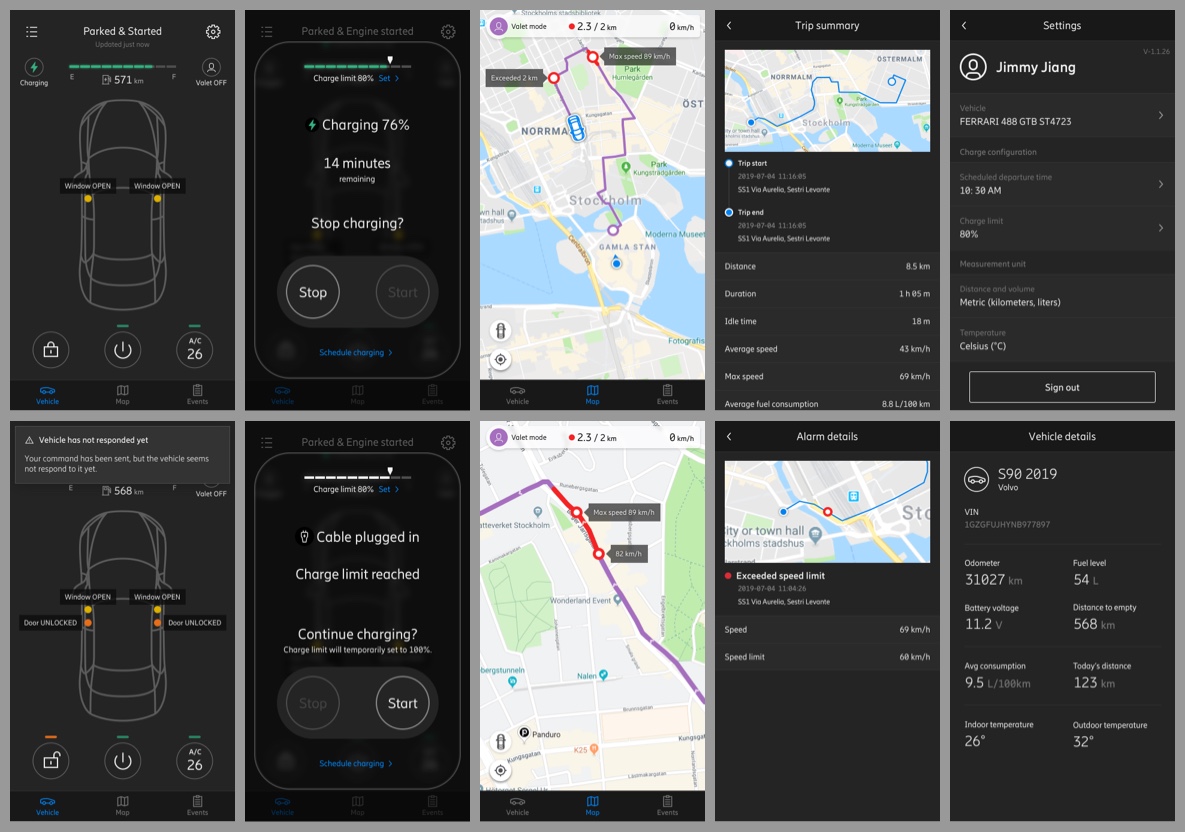
To better showcase our product's performance, we designed a suite of demo tools, including a mobile app, a vehicle simulator, and additional resources. These helped our potential clients intuitively perceive the key advantages of our product in their daily operations.
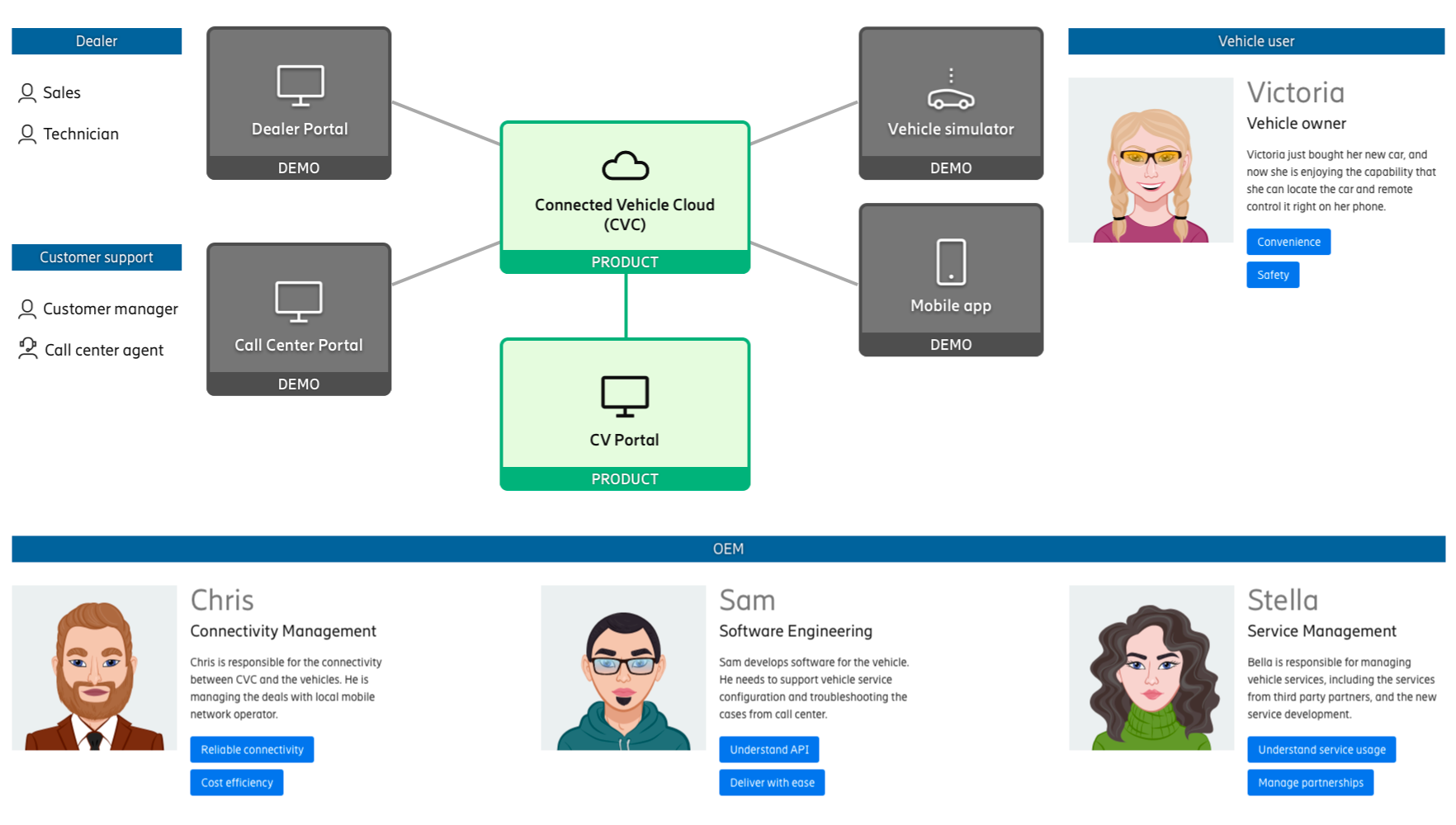
The mobile demo app represents the OEM mobile app, used by the vehicle owner.
The vehicle simulator represents a physical car in the real world.
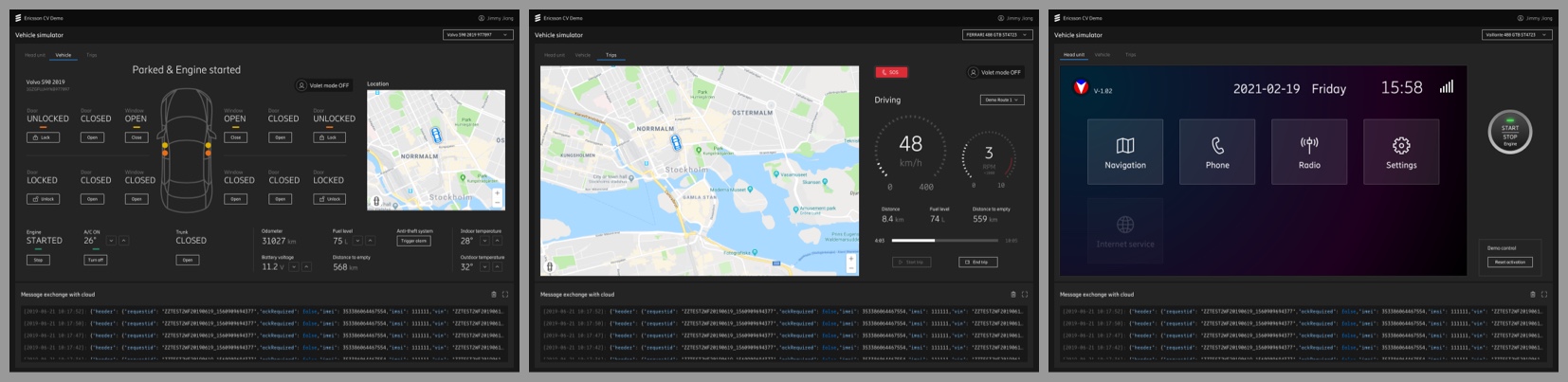
These demo tools gave our OEM clients an intuitive sense of the improvements end users would experience.
Similar to the general product design process, we also created journey maps, wireframes and drafts for these demo tools before stepping into high-fidelity visual design.
Demo Tools Design Goals
- Prioritize visualizing the demo related features
- Focus on being easy to understand for viewers
Below is a design of remote control flow and UI feedback in the mobile demo app:
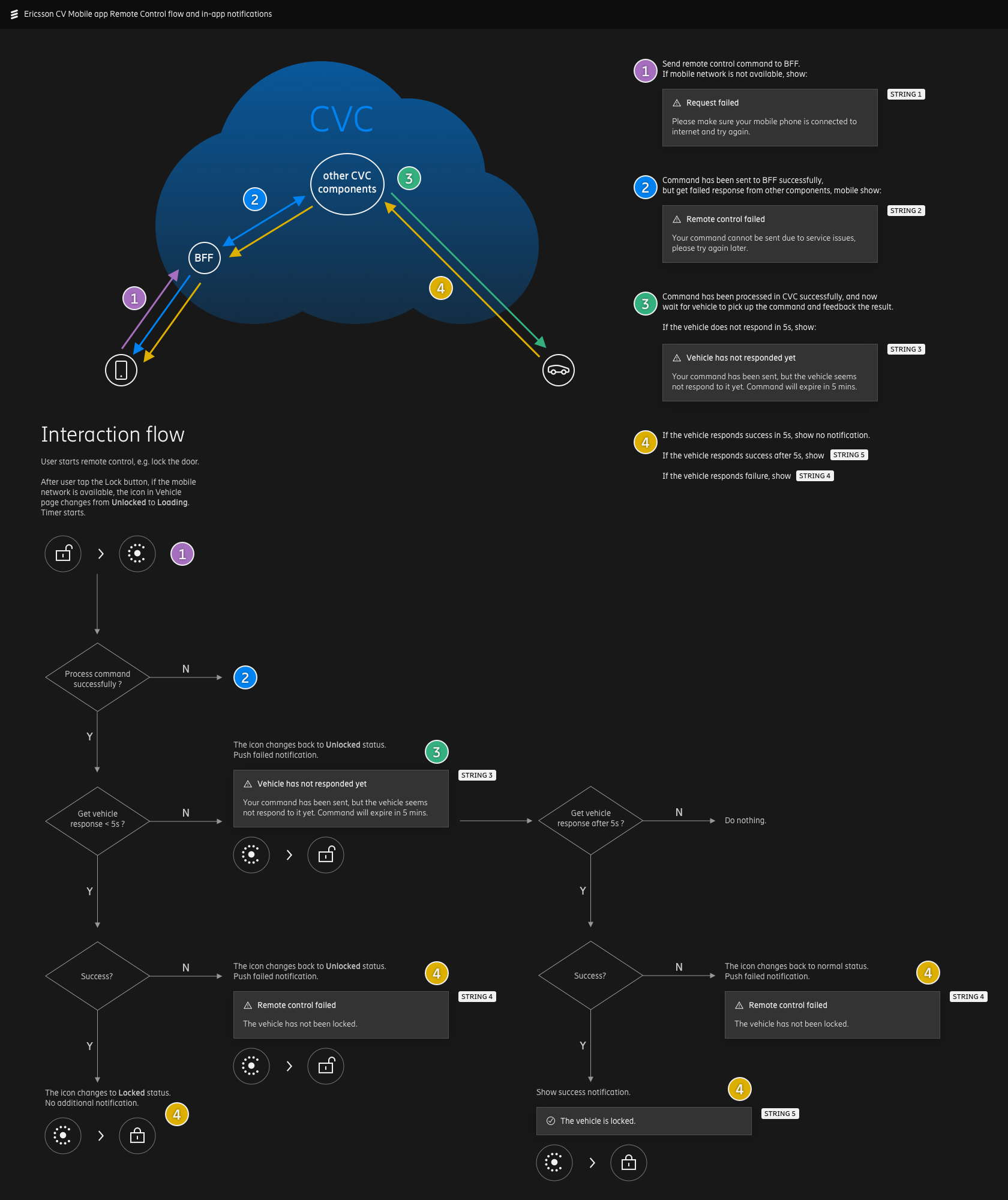
As with all other IoT platforms, users' commands cannot always reach their devices. It's important that we provide clear feedback to the end user in different scenarios.
Below is a user interaction flow design for vehicle services activation in the Vehicle Simulator head unit:
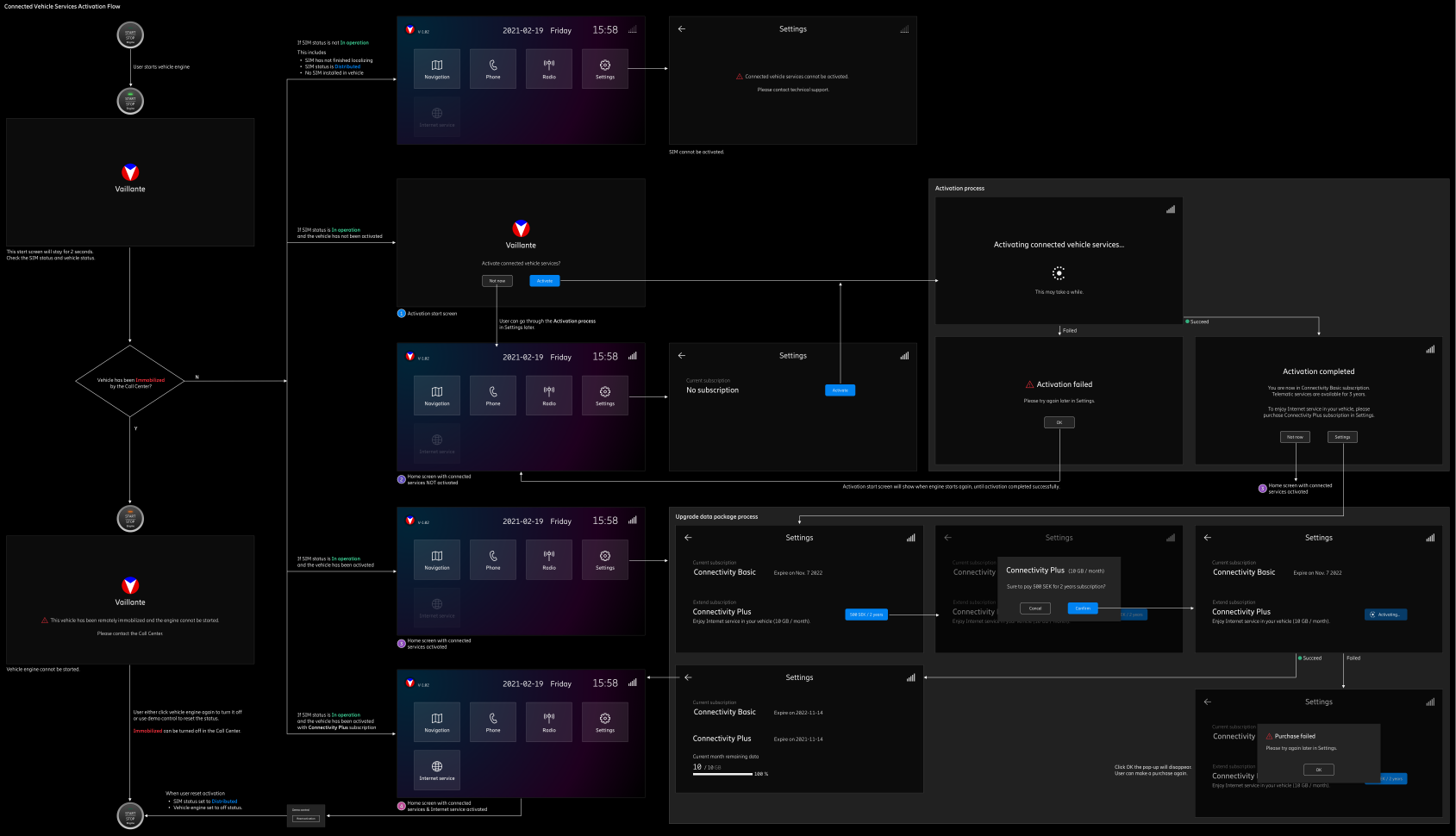
It shows the vehicle services activation flow and detailed feedback for different scenarios in a vehicle's head unit, demonstrating how the product's connectivity capability supports the vehicle user's in-car experience.
Outcome
These demo tools improved the audience experience in the sales process, and helped us win a contract with a client in Europe.
Connected Vehicles platform is designed to be a generic product. After we signed the contract with our client, significant design updates were often required to adapt to their specific systems and environments. This shifted the design focus from generic users to an individual client, and the customization work could change the existing design significantly.
Below is an example:
Left is the product design screen. Right is the same screen customized for our European client's systems and
environments.
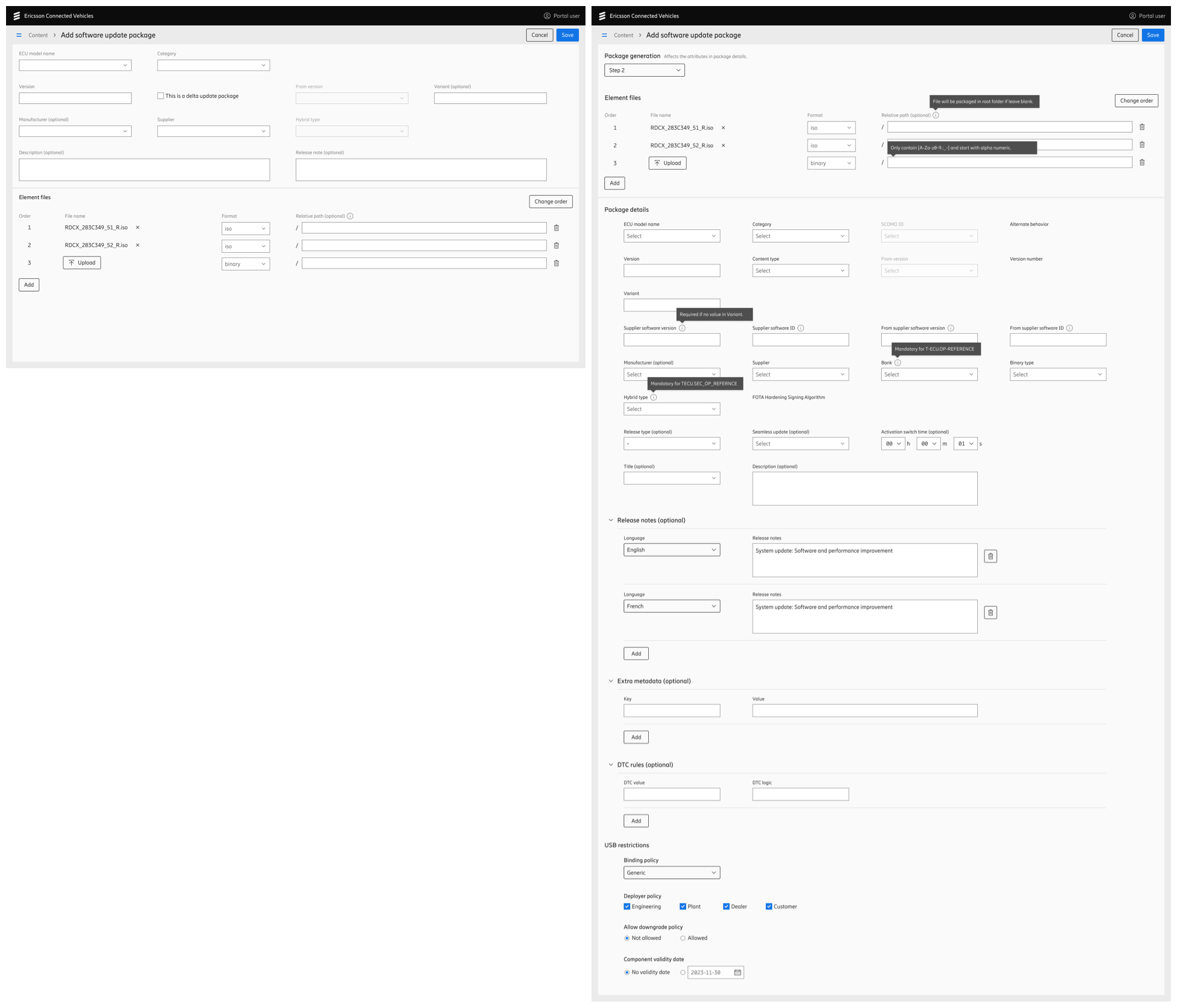
Left: the product design screen | Right: the same screen adapted to client's systems
In the end, the customization experience we learned from this automotive OEM will be used in our next generic product design iteration.
UX Deliver Process
This project runs under SAFe (Scaled Agile Framework). We need to deliver the committed features within each PI (Program Increment), which consists of 4 sprints.
However, UX work sometimes becomes a bottleneck during the development process, as teams wait for designs immediately after PI planning. On the other hand, it's also stressful for designers to deliver all UX deliverables within such a short timeframe. As a result, the development of some features is blocked by UX design in the early stage of each PI.
In order to minimize this impact, I started a way of working called Progressive Delivery, which breaks down each task into different stages. This allows designers to deliver work step by step, without blocking the developers.
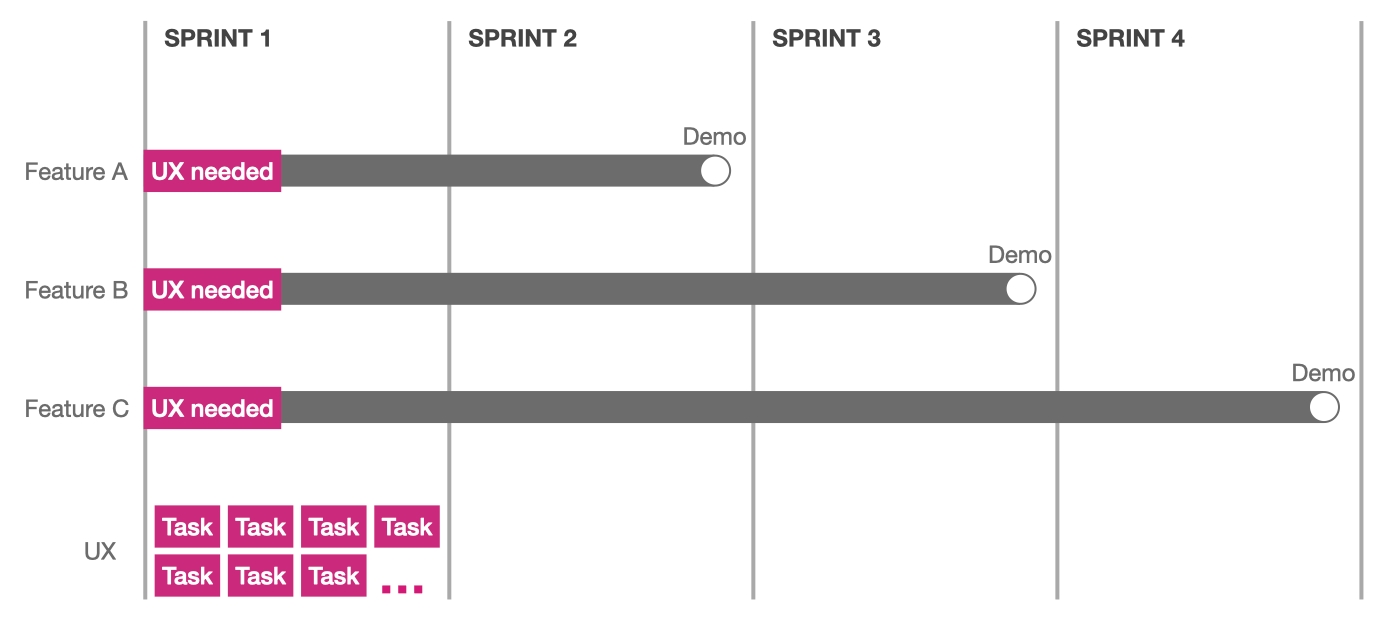
In the first stage, we quickly draft a user flow with key actions and data fields, and iterate with stakeholders, so that everyone has a holistic view of the main interaction and what information will be shown in each step. After aligning with the stakeholders, most developers can start their work without knowing the detailed visual style, as this does not affect the back-end architecture.
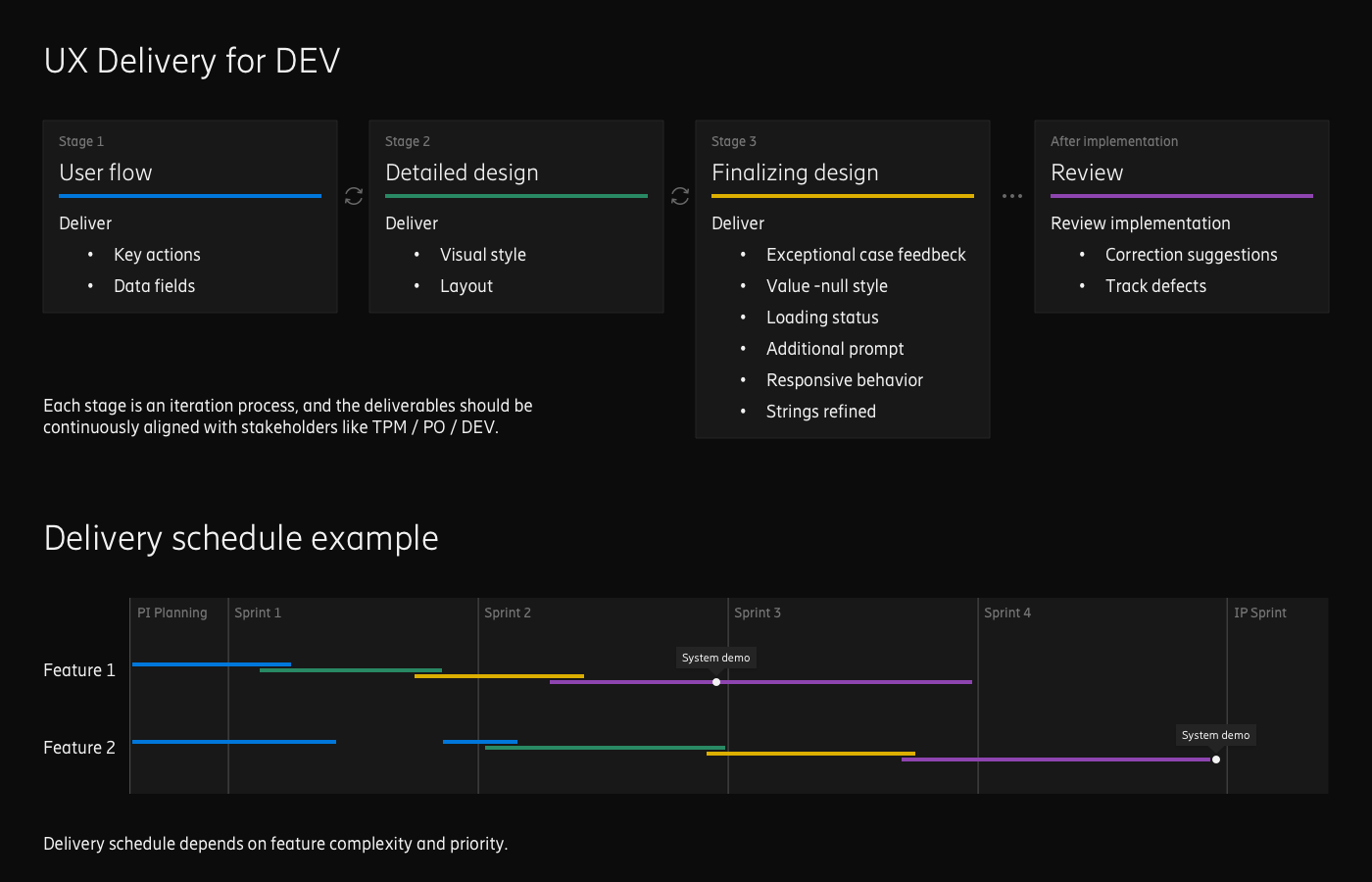
In stage 2, UX designers focus on the detailed visual style (color, typography, layout, etc.), and front-end developers can begin building the GUI once the detailed design is delivered.
In stage 3, UX designers continually monitor the implementation, and provide supplementary design support, such as strings fine-tuning, and design feedback for specific exception cases (usually come up at this stage).
For different features, each stage may take different time and effort to complete, depending on its complexity and priority. No role in the team was blocked throughout the entire PI's development.
By following this UX delivery process, we minimized the waiting time for developers, and also reduced pressure on designers during the early stage of each PI. It helped improve overall feature development efficiency, and I still apply this method today.
Retrospective
Some thoughts and learnings:
- Not only should we focus on the design process, but also on the end-to-end development and delivery process.
- When encountering roadblocks during the client's sales process, considering end users' perspectives may help to find effective solutions.