* All data and terms are mock or from public resources.
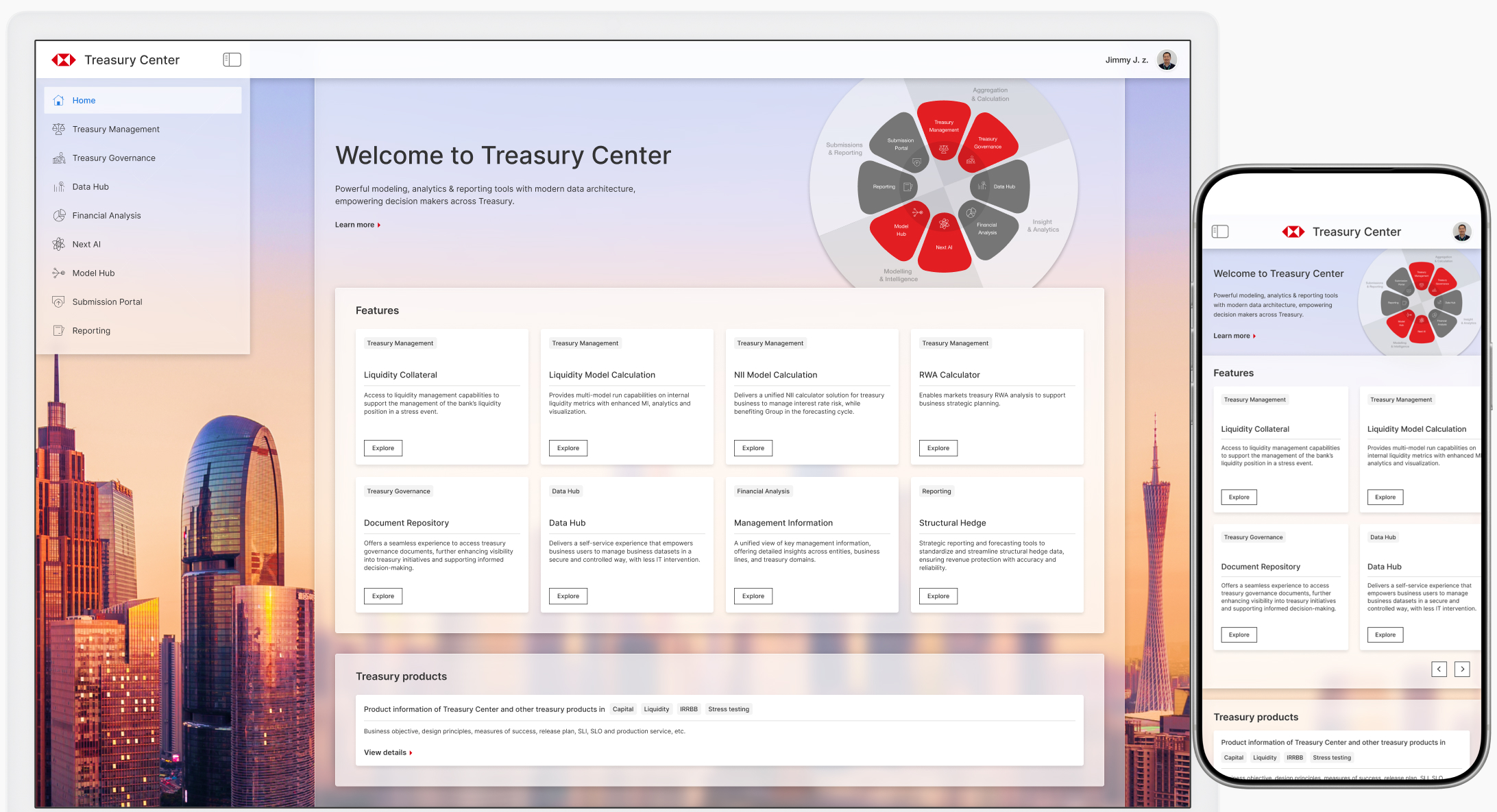
The Treasury Center centralizes a bank's core financial resources, including capital, funding, liquidity and balance sheet management. It provides data-driven insights to support strategic decision-making.
2024 - 2025
UX/UI Designer (with business analysis tasks) in a 100+ member team
Product launched and available to internal bank users. Collecting feedback for iteration.
Background
The Treasury Center provides access to all key treasury and financial metrics and analytics. With consistent data and report format, it helps bank senior managers and treasury specialists to gain more comprehensive, accurate business insights and drive better decision-making.
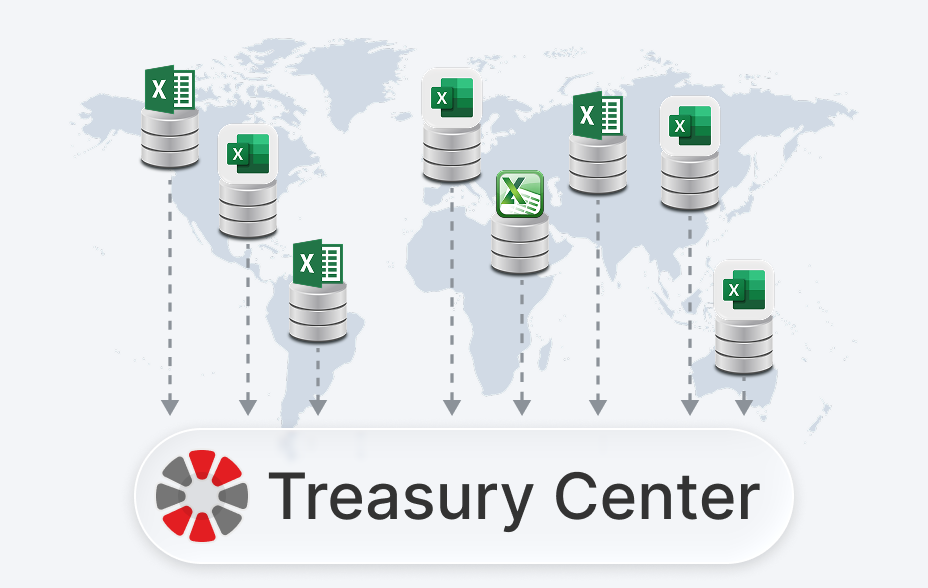
When developing this product, I collaborated with another talented UX designer to deliver designs, align with stakeholders, and oversee the implementation progress in a team of around 100 engineers, with fast-paced iteration.
Design Process
Most features were migrated from existing tools and platforms. Before the design phase, we conducted interview sessions with key internal stakeholders and users to understand the pain points in their previous workflows.
Below is our typical UX design process, along with the deliverables in each stage:
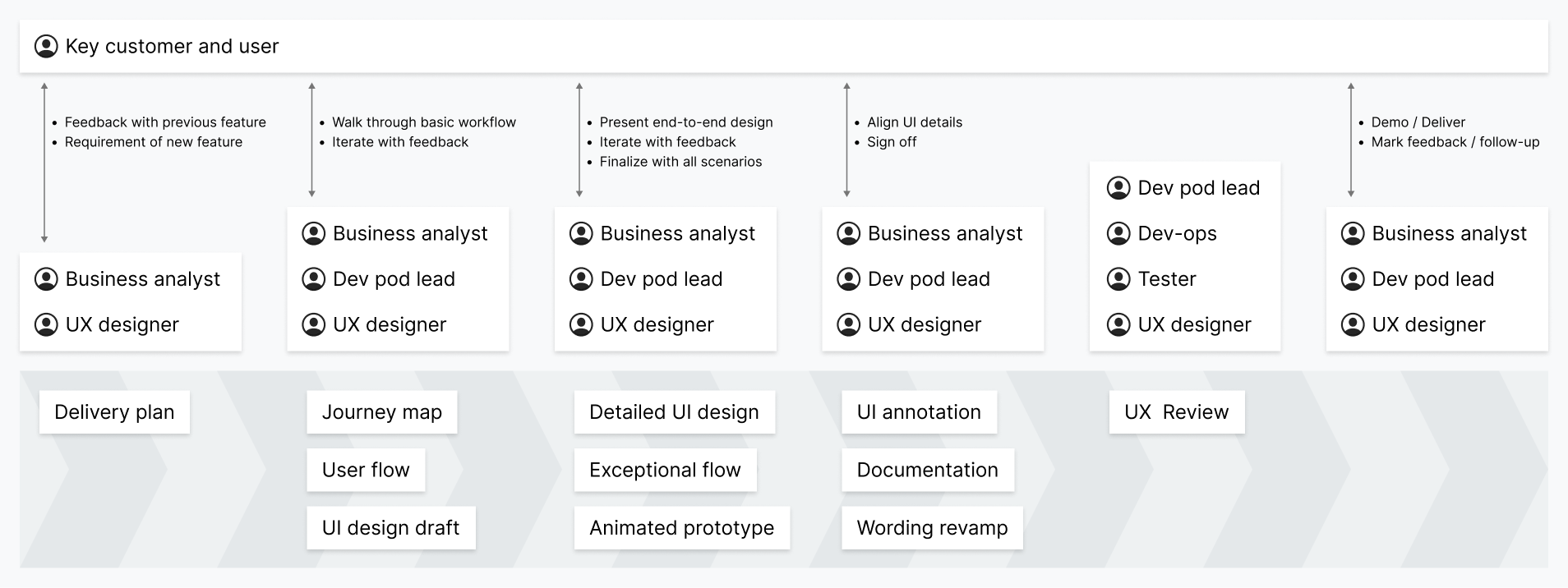
The process involved several rounds of discussions with key customers and users.
After clarifying the detailed requirements, we started designing the user journey and UI drafts. Leveraging AI, we efficiently generated alternative design drafts, which helped expand design exploration throughout the brainstorming process.
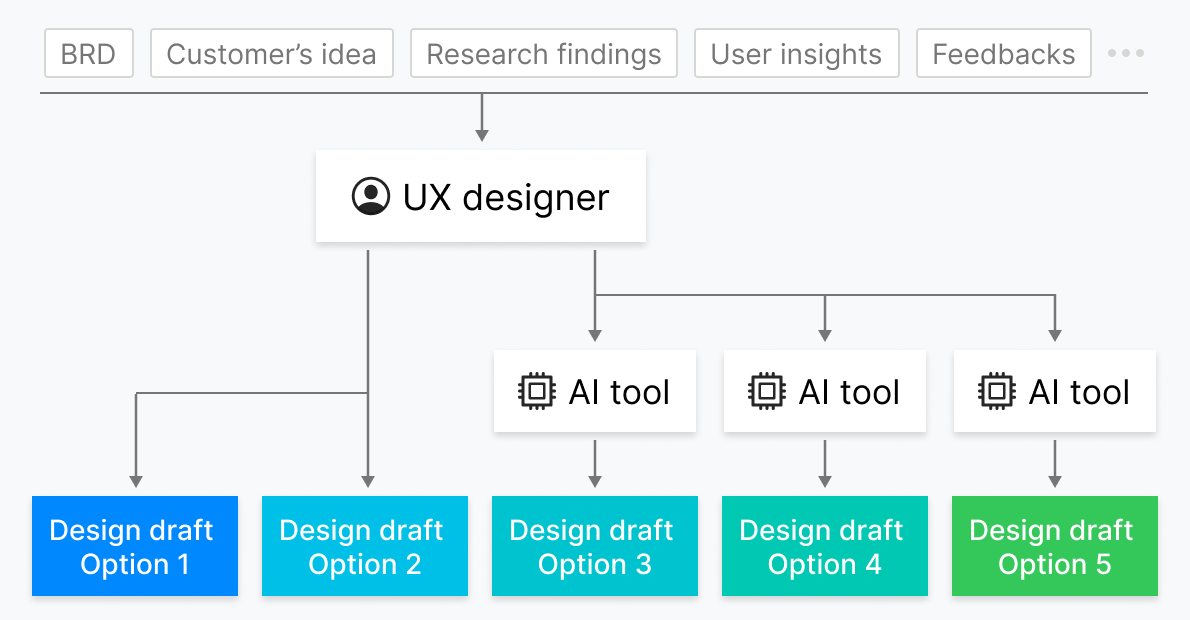
We selected the most suitable options and polished them, then walked through the designs with key customers and users, iterating based on feedback until reaching final alignment.
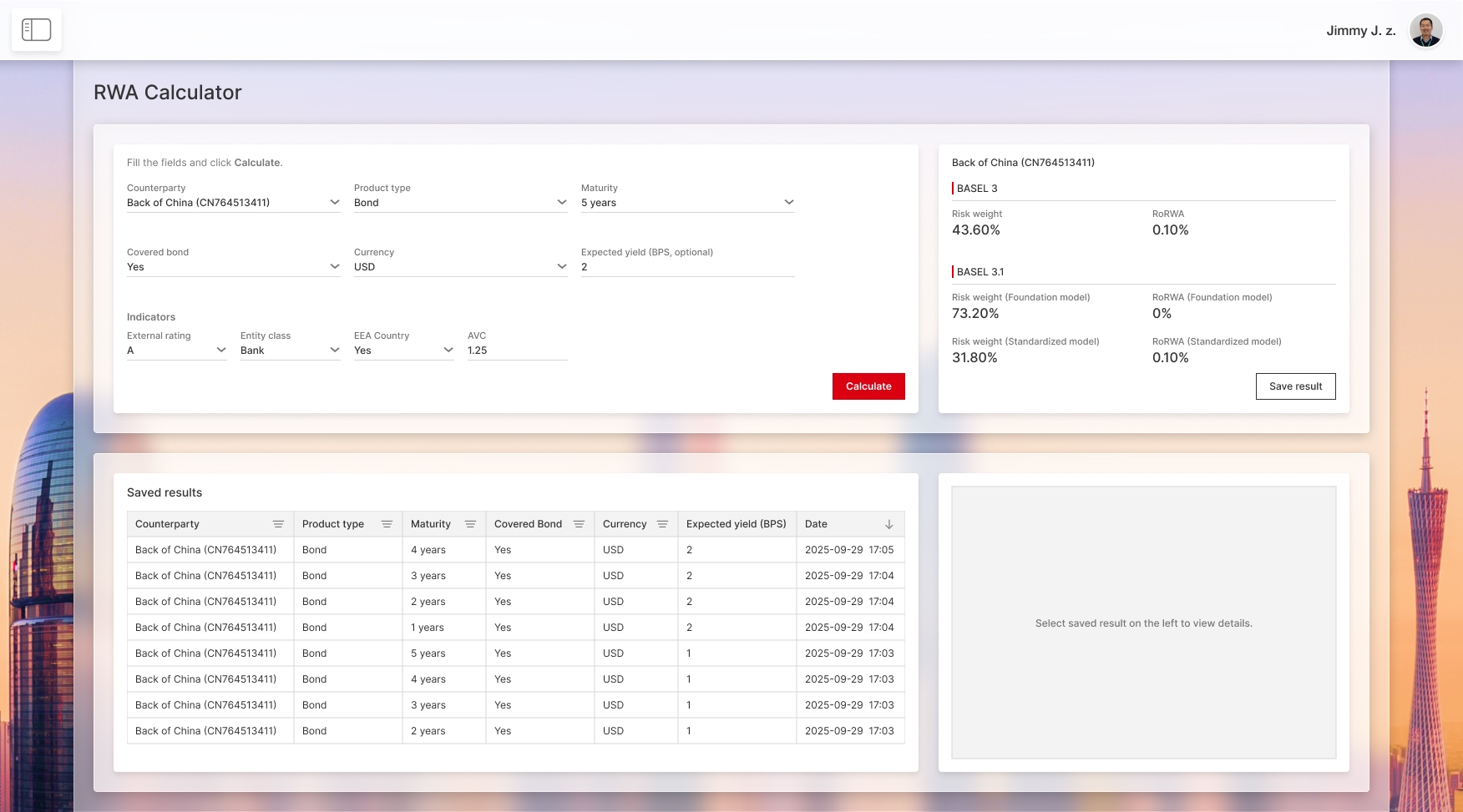
Below is a sample feature showcasing RWA (Risk-Weighted Assets) calculation. It provides an efficient way to calculate RWA under specific scenarios and allows users to compare the results.
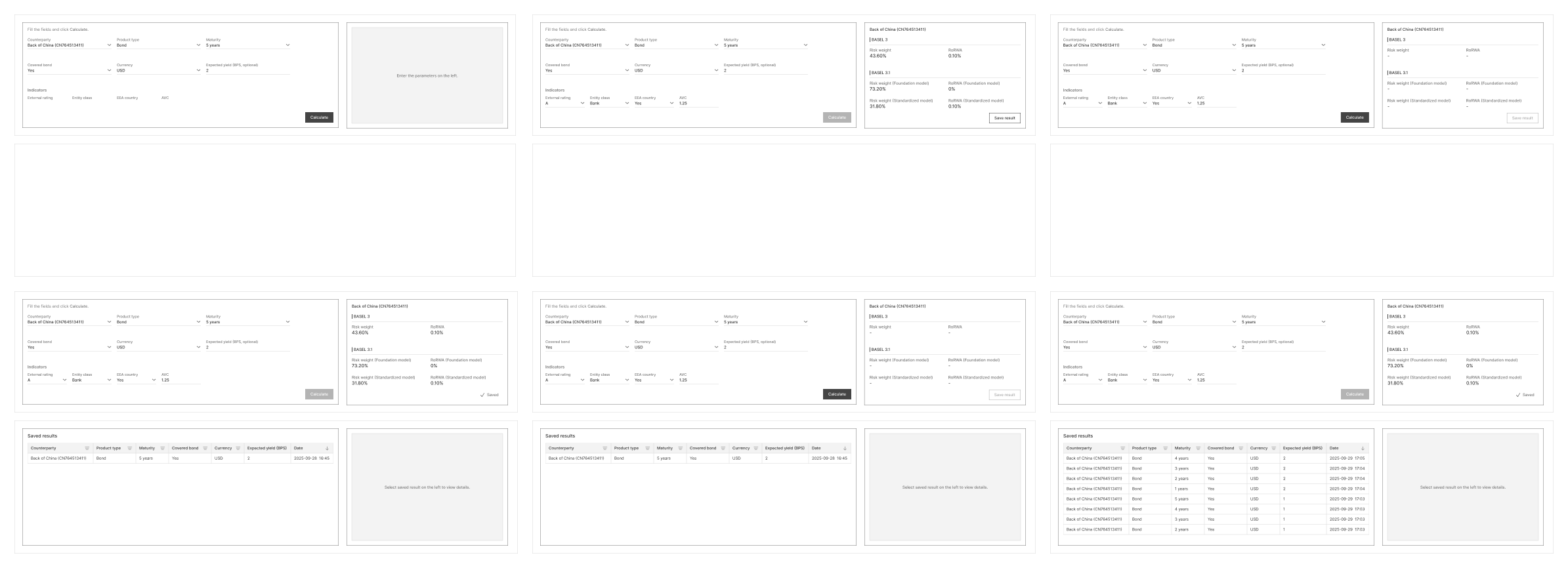
Drafts of feature workflows
The mobile view design options below are initially generated by AI tools:
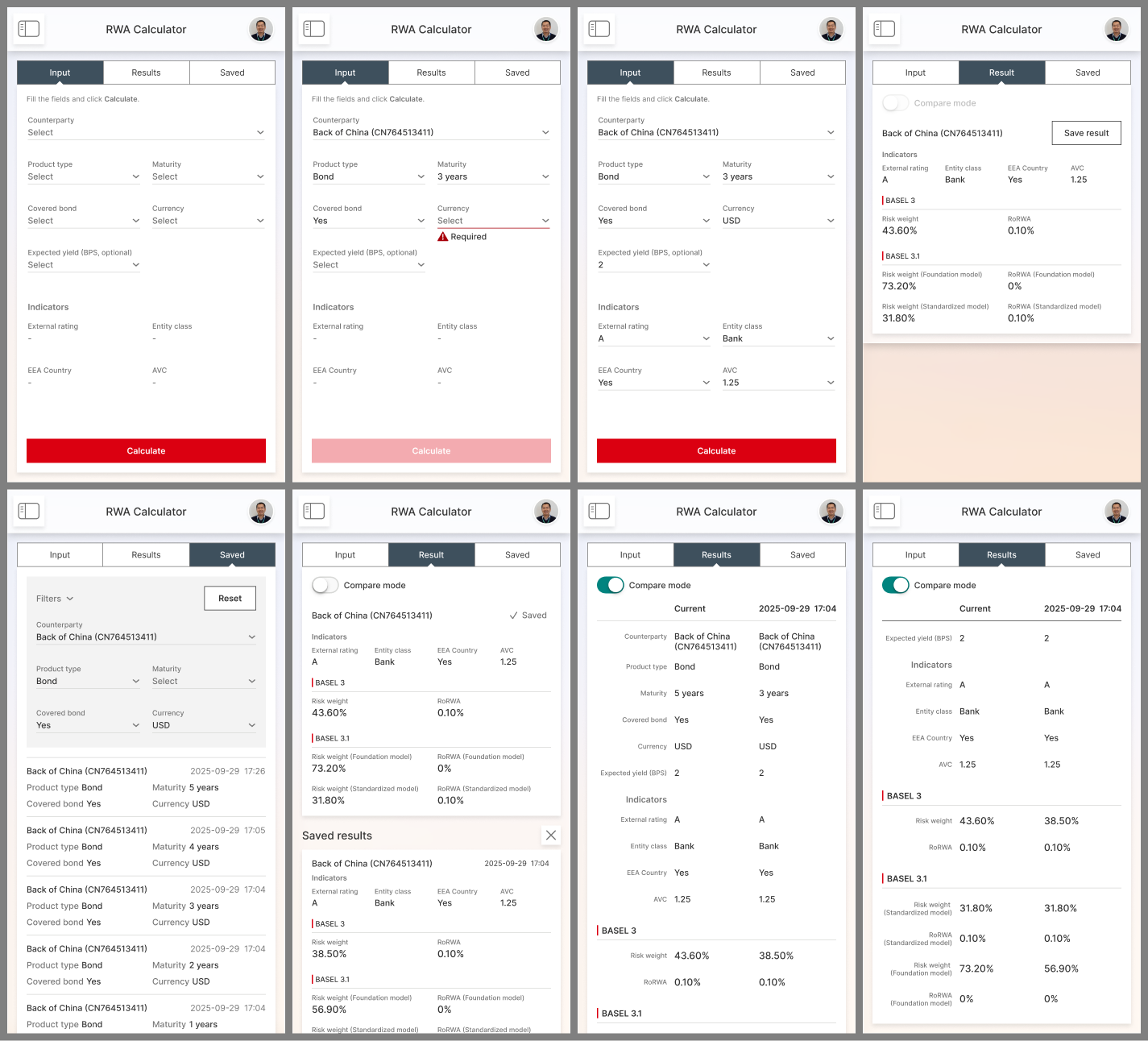
We aligned on the detailed designs with key customers and obtained their sign-off before handoff to the engineering team.
After the feature went live, we collected feedback and prepared for the next iteration.
Challenge 1: Feature Consistency
Maintaining consistency across features from different business units was a major challenge.
Problem statement
The Treasury Center consolidates features migrated from legacy platforms across various business units. Although some features share similar purposes, their look and behavior vary slightly due to being designed by different teams.
Take model calculation as an example, Treasury Center provides powerful model calculation capabilities that most business units can leverage, but the terminology and interaction patterns are inconsistent across features. Even when referring to the same set of data, users from different business units use different terms:

From the product UX perspective, our goal is to align all the terminology and interaction patterns across features.
Research
We categorized the similar features and analyzed their business workflows together.
In model calculation, we found that these features share a common user journey: retrieving data, performing calculations, and visualizing results to support historical analysis and future forecasting:

Therefore, we decided to use a unified design for these model calculation features, applying consistent wording, UI, and interactions. Engineers welcomed this approach as it reduced development and maintenance efforts.
However, during the design review with business stakeholders, we received pushback. Users from different business units preferred the legacy design, since the new unified design somewhat changed the way they worked.
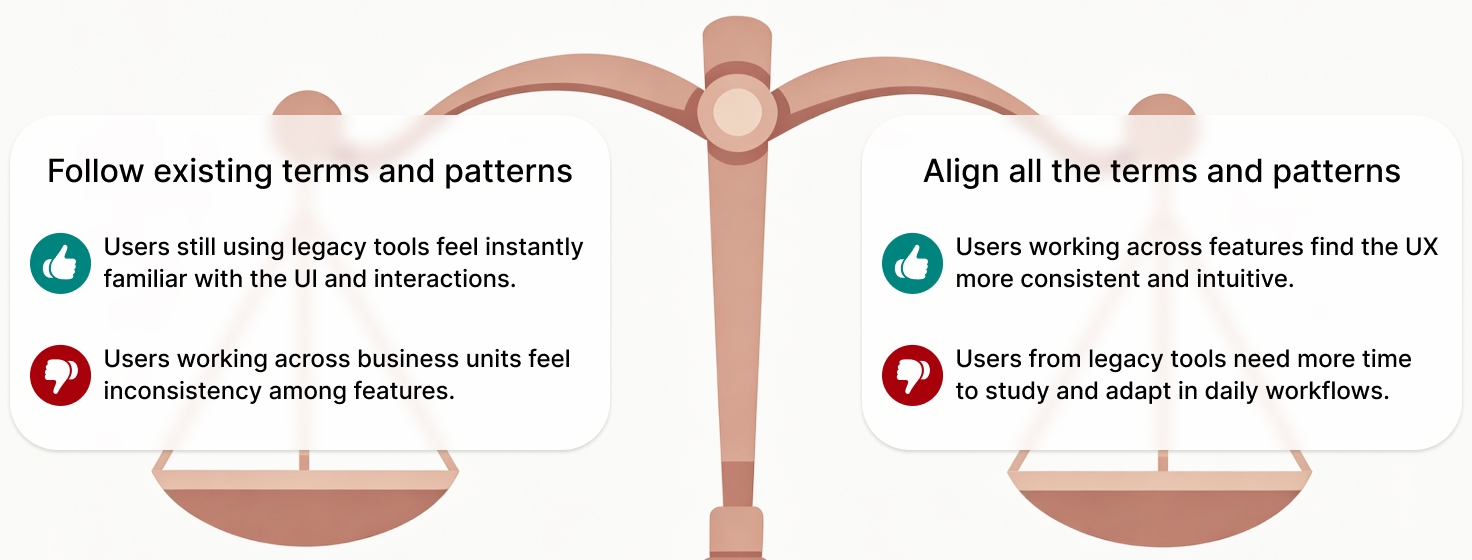
This put me in a dilemma:
- Senior managers needed consistency across features.
- Users in different business units wanted a design aligned with their legacy platforms and tools.
Solution
Recognizing that no single design could fully satisfy both sides, I sought a balance between maintaining maximum consistency and ensuring intuitive user interaction:
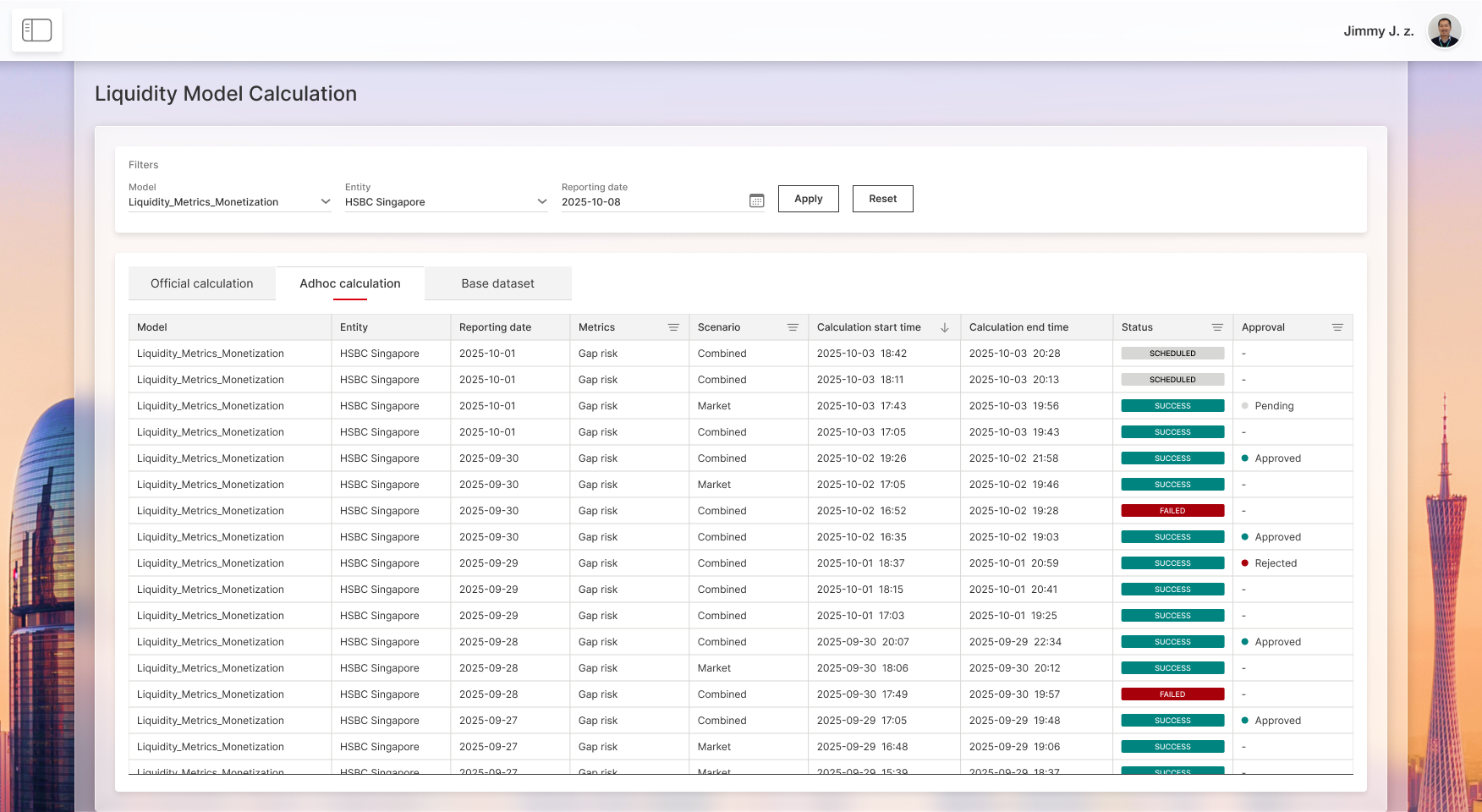
- For data input and calculation, we retained specific differences so that daily operations remained familiar to users.
- For the reporting section, we adopted a more consistent design to make cross-business result viewing more user-friendly.

After proactive communication, we finally gained alignment with all key stakeholders.
Below are sample screens for the above model calculation features:
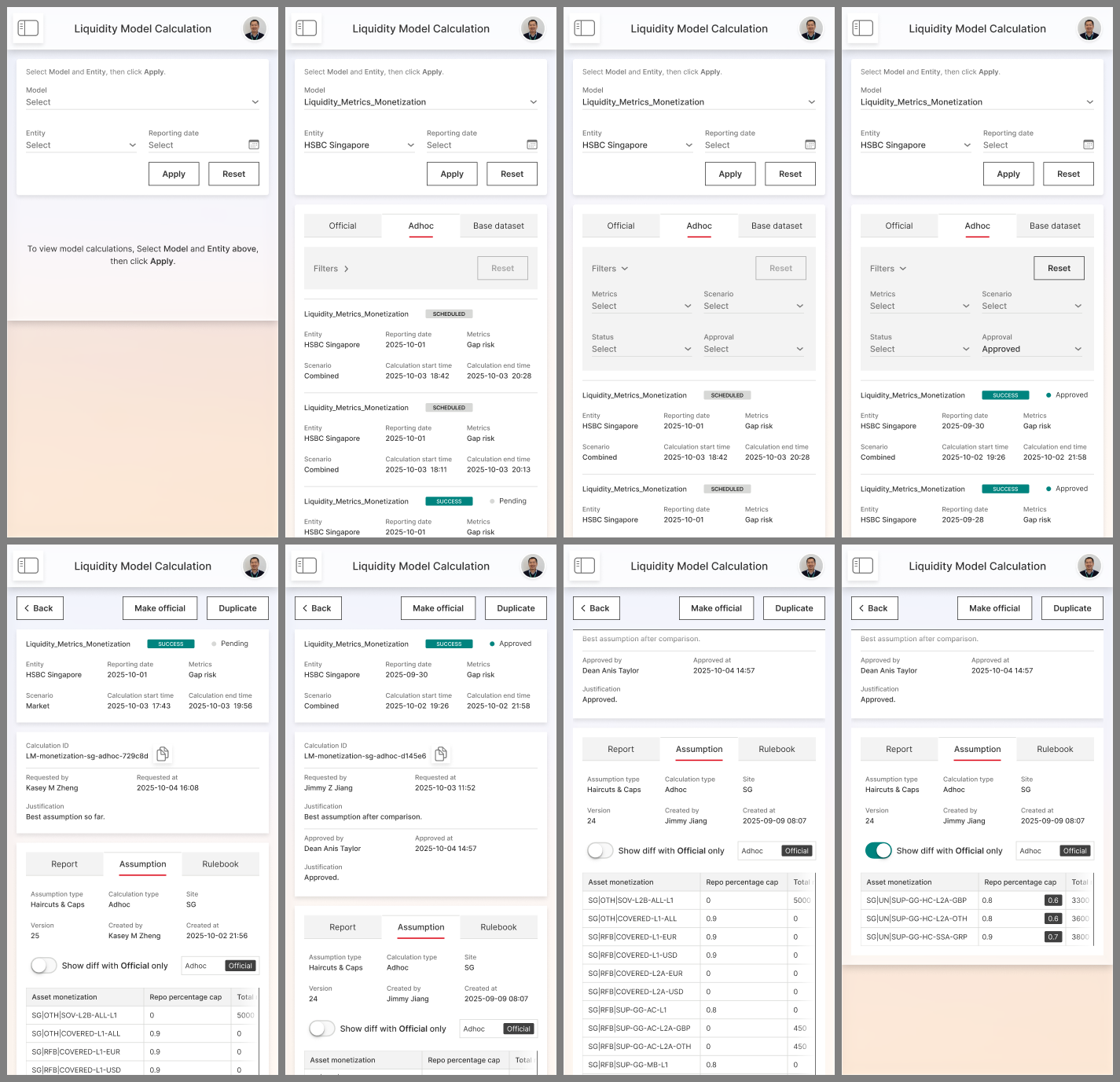
The condensed table layout is adapted into a card-view design in mobile view.
When addressing this challenge, I realized that sometimes 'More consistency' doesn't always mean 'Better UX'. Every little change in UI would cost users some effort to adapt. We should not ignore it when pursuing consistency.
Challenge 2: Complex Entitlement
With highly sensitive data involved, user access entitlement becomes a critical process. Every Treasury Center user should only access information relevant to their role within the system. It turns out to be a very complex design challenge.
Problem statement
The bank has a large multi-hierarchical organizational structure. By default, a user should only be able to access the data from their region and business unit:
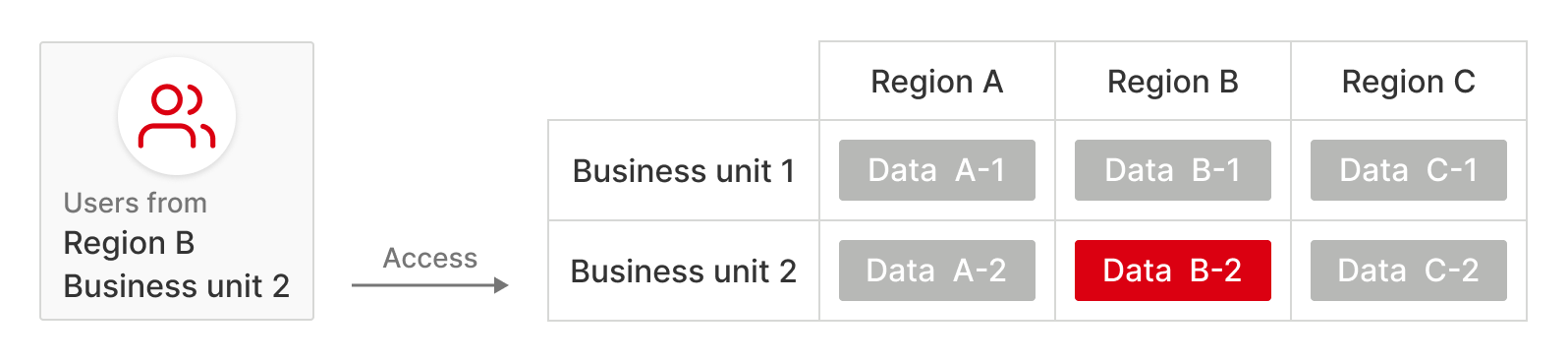
For senior managers in the bank, they may need to access data across different regions and business units.
We need to design a generic access control solution to ensure that each user accesses the right data in all features.
Research
For analyzing the detailed requirements, I facilitated a series of workshops with stakeholders, and learned that we need to comply with the 'Maker-checker' process, which means a user requests access, and then another admin approves or rejects it. Users cannot grant access to themselves.
An early version journey for the application and approval process:
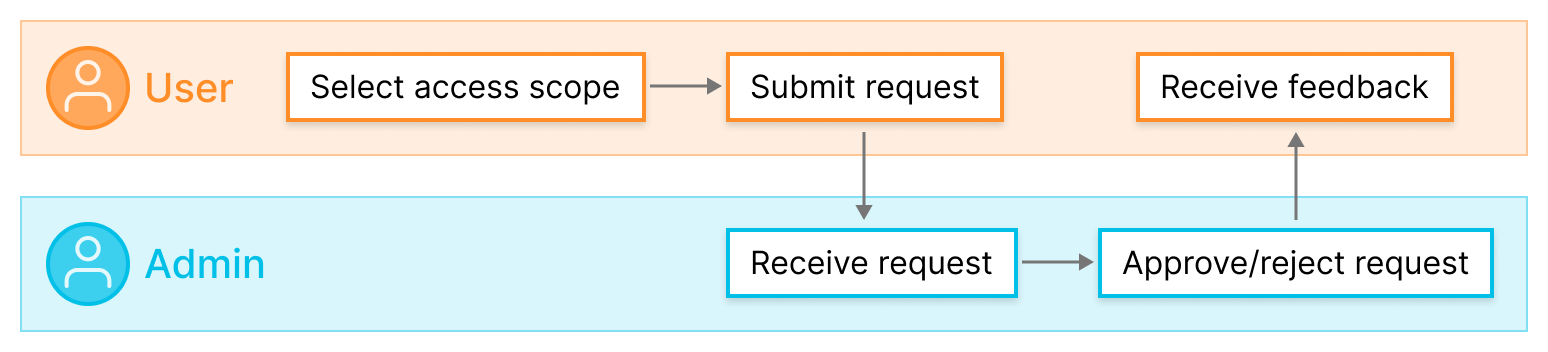
Each feature in the system menu has an independent access control, and every region and business unit has its own admins.
During the research, we found that the solution needs to support various cases:
- Some features use 'Entity' instead of 'Region', and there is a mapping between them.
- Besides Business units, some features also use 'Function groups'. Function groups have their own admins.
- If a user submits a request across Regions/Entities, the request needs to be split and sent to different admins for approval.
- Some features and data are managed by more than one admin...
This leads to a complicated situation with numerous possible combinations.
Below is the approval process for a request involving data across different Regions/Entities, along with an example diagram illustrating the relevant admins from Business units and Function groups:
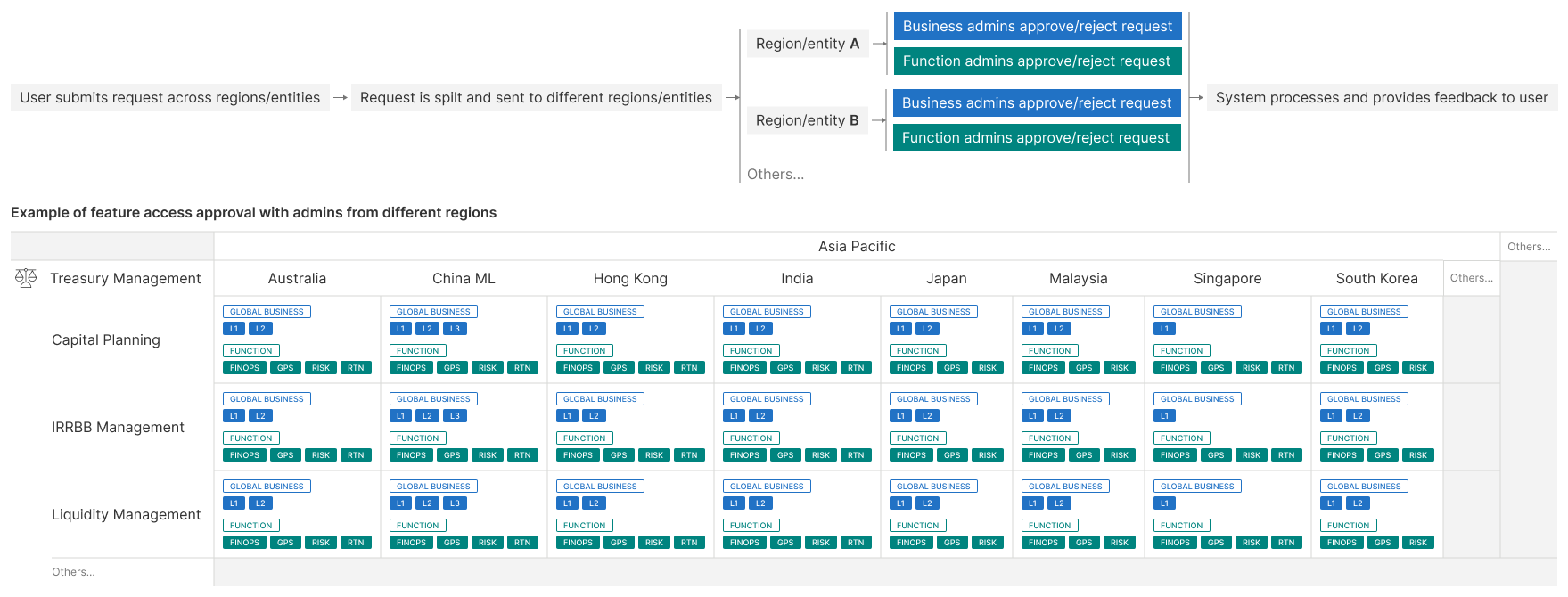
We also thought through edge cases where some split requests are approved while others remain pending or rejected. This leads to a situation that the access application receives partial approval. As a result, users can access the feature, but data from certain Regions/Entities, Business units, and Function groups remains unavailable.
Solution
Following comprehensive research and alignment with each business unit, we designed a multi-level access model from the user's perspective. It supports distinct UIs for users with different access permissions, ensuring proper information disclosure while delivering clear, user-friendly feedback.
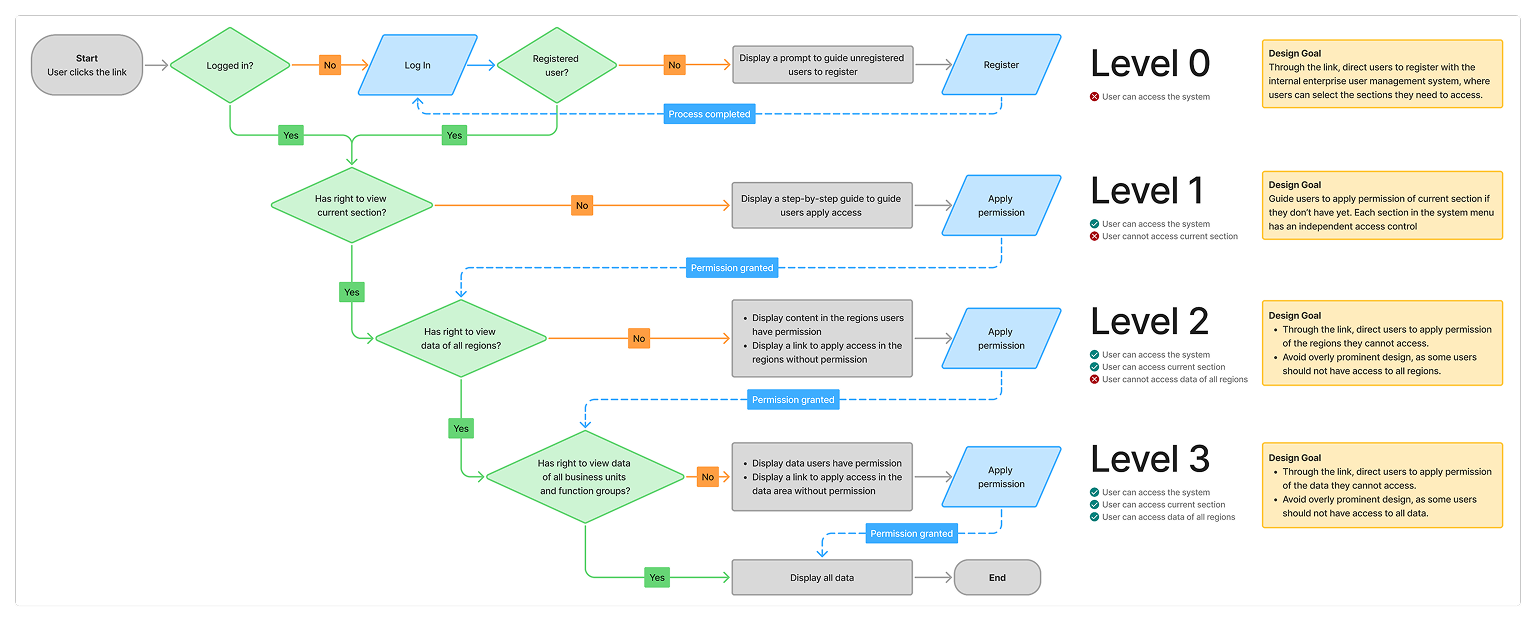
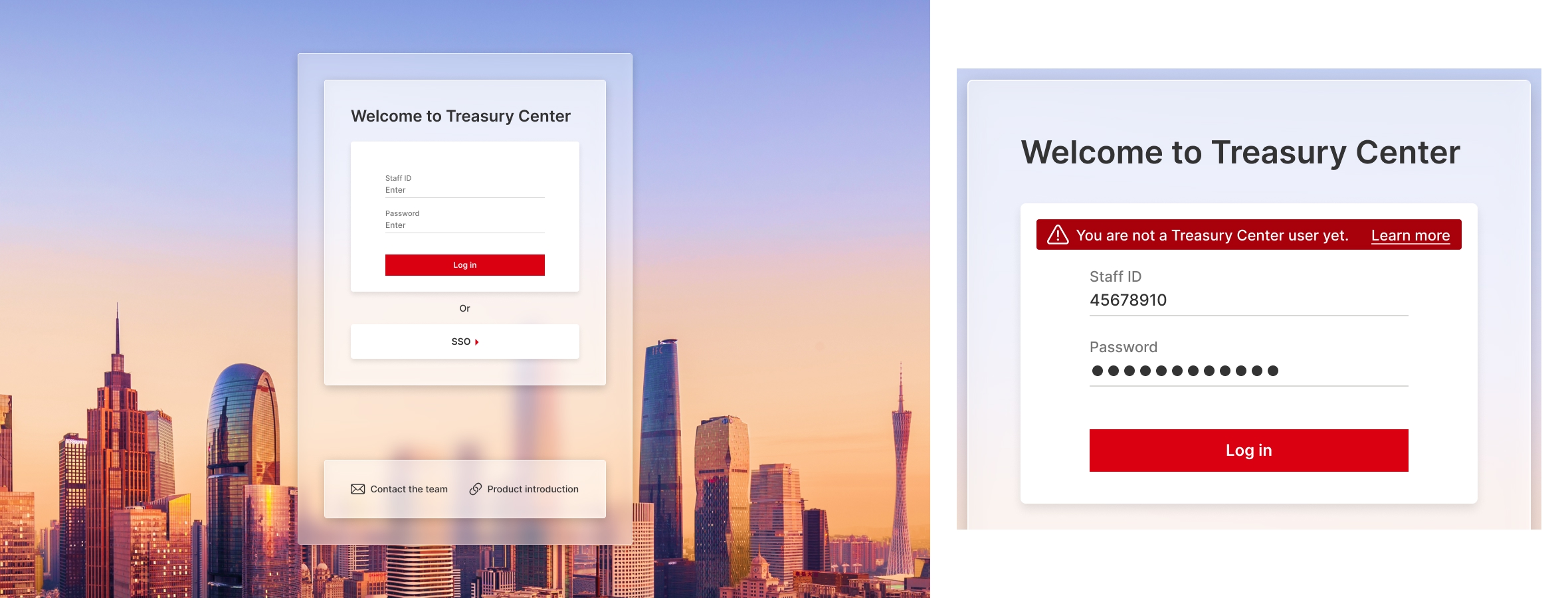
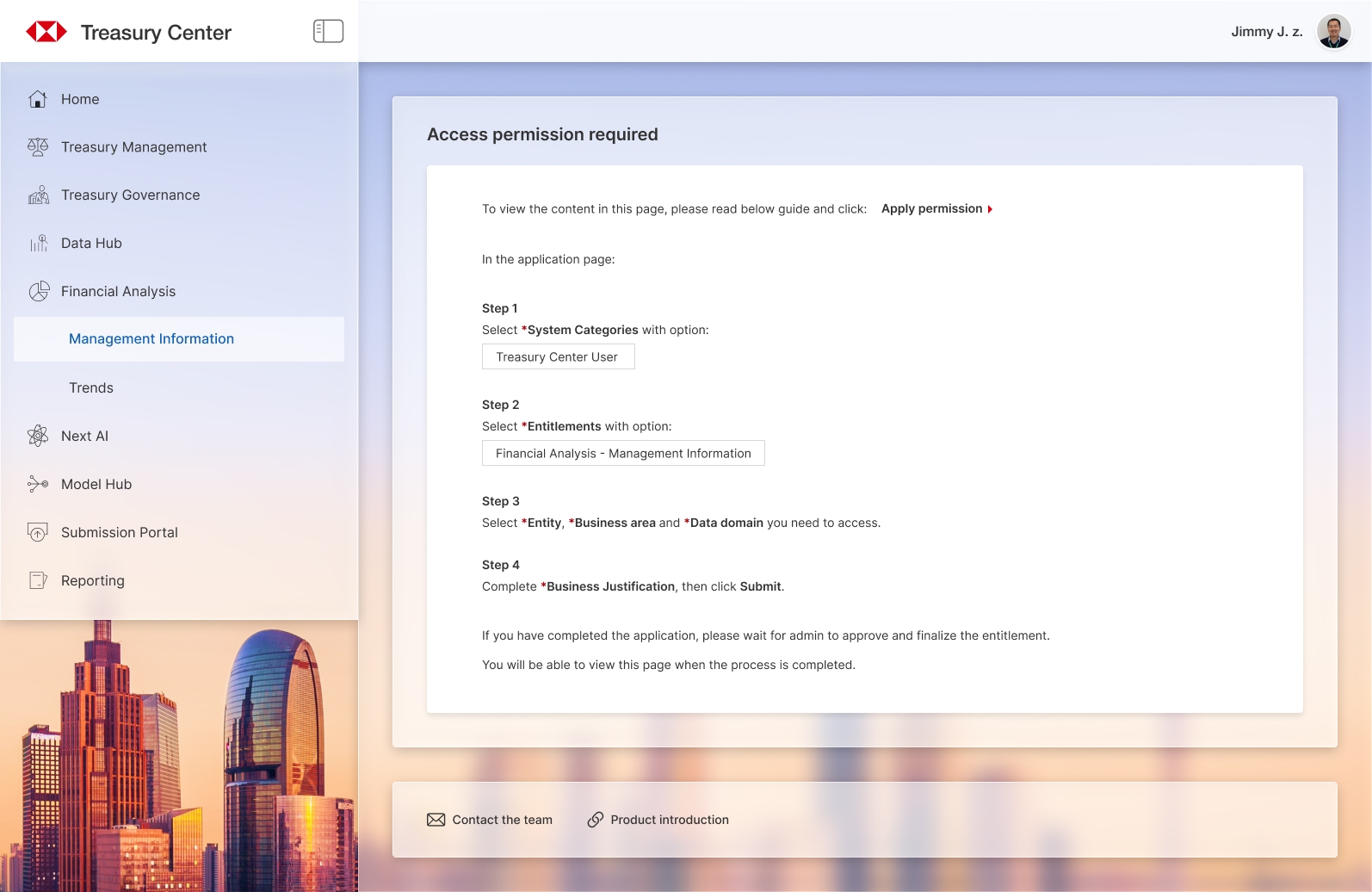
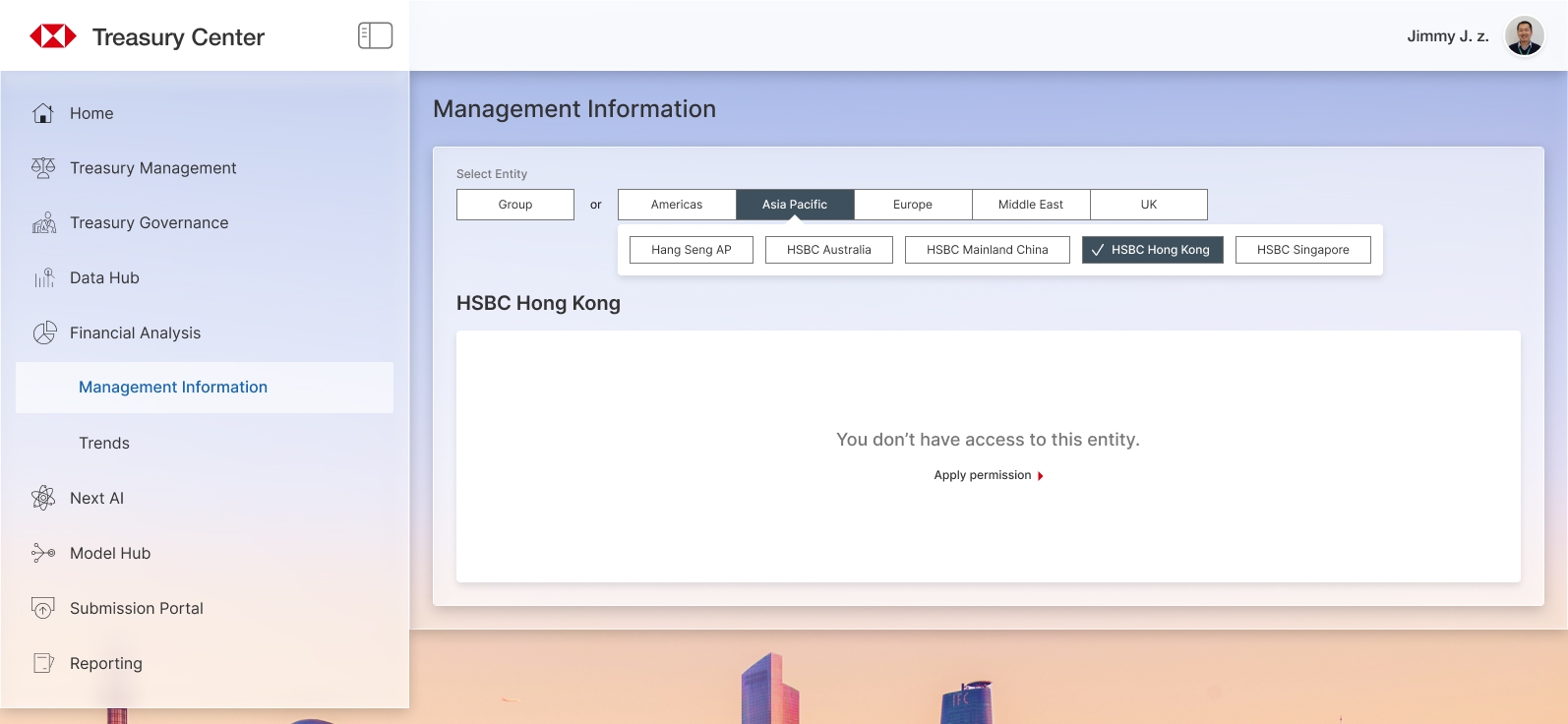
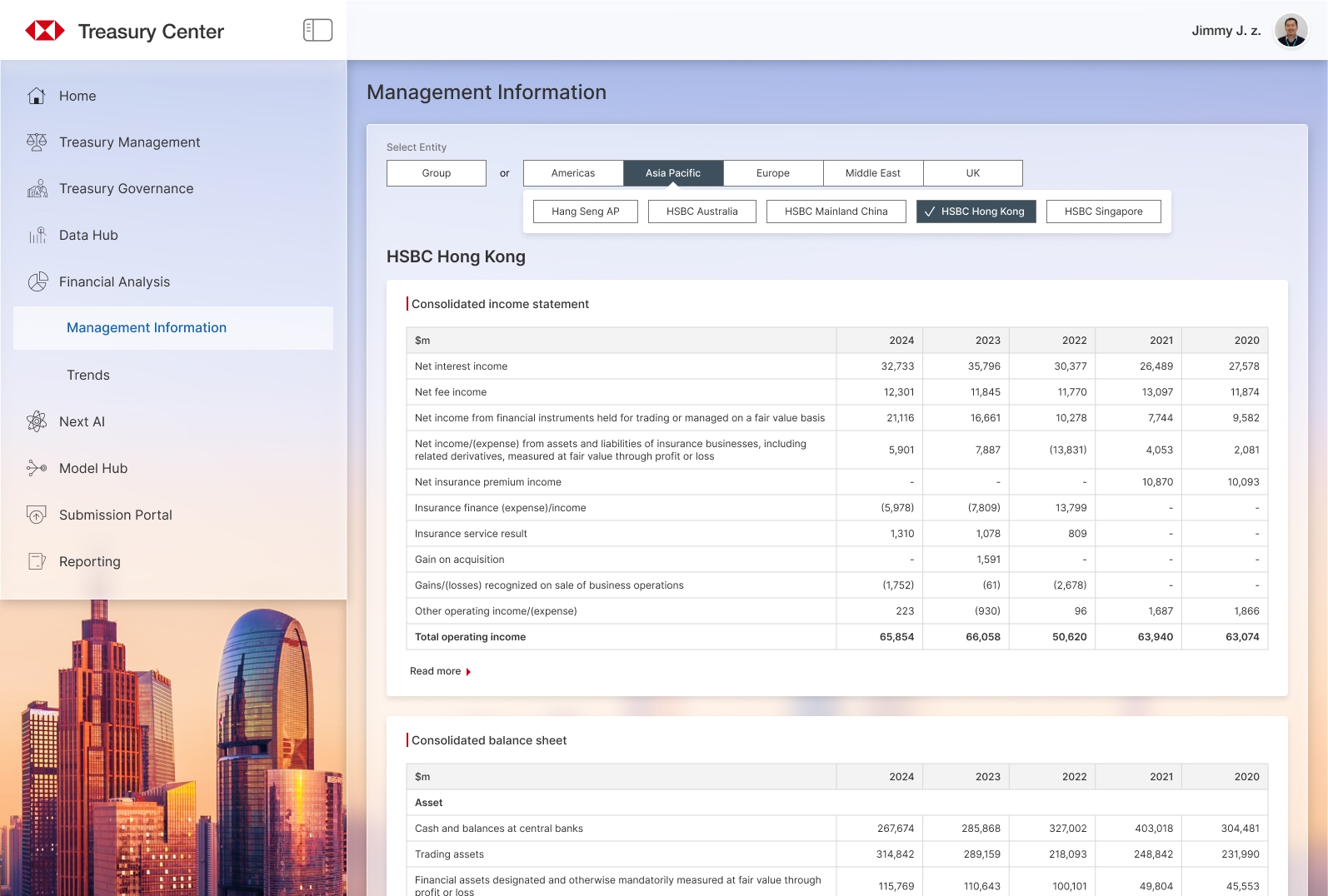
The following screens are the same page for users with different access permissions.
At Level 0, users are redirected to the login screen:
At Level 1, users see a step-by-step guide to request access:
At Level 2, users can access the feature but may not see data from all Regions/Entities:
At Level 3, users can view all the content after permission is fully granted:
Edge Case
In some features, the access request requires both Business admin and Function admin to approve. Users cannot access the data until both admins have approved. However, in a rare case, some data can still be viewed without the approval from the Function admin.

We need to consider the UI in this case: displaying partial data while providing a clear entry point to reapply for access.
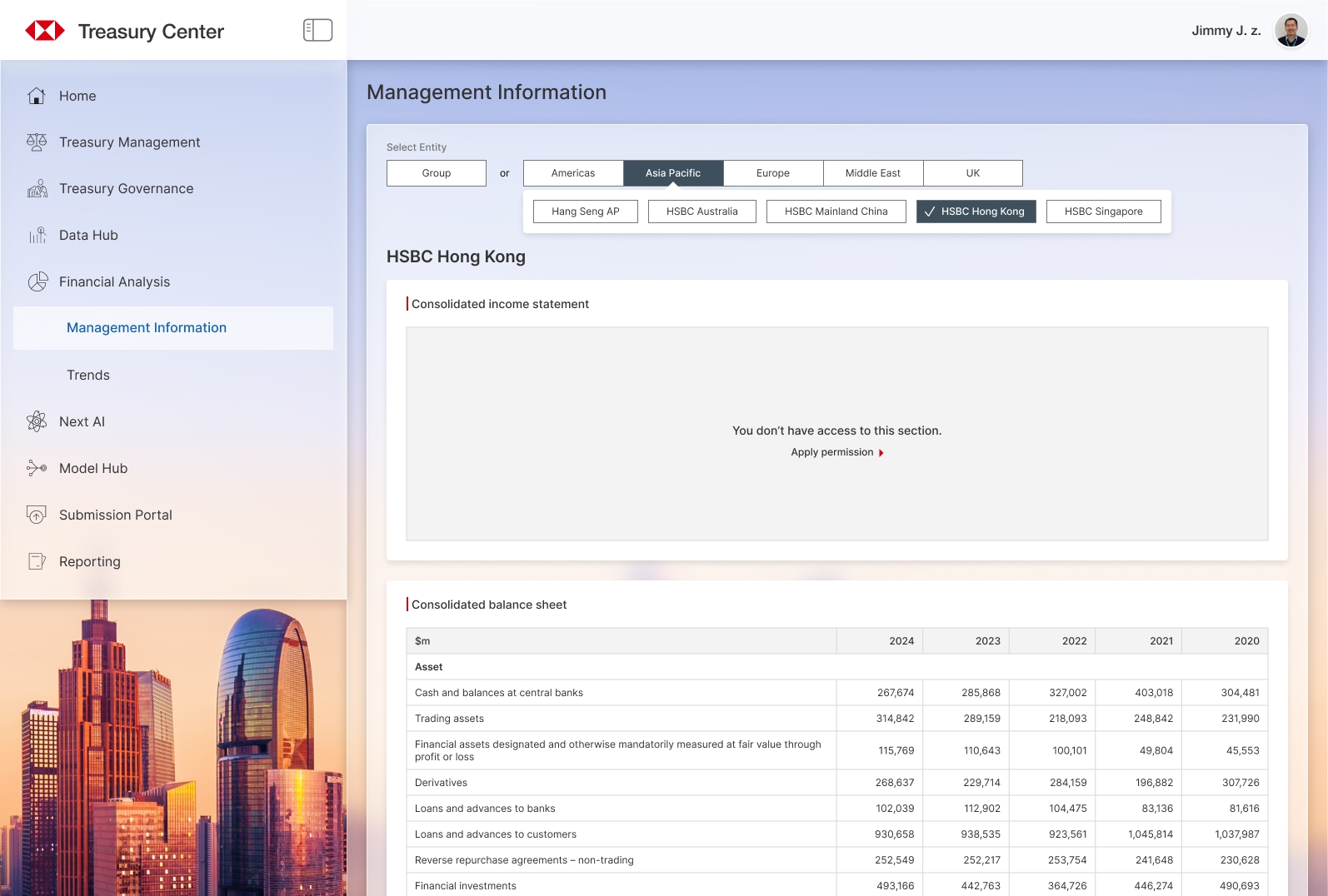
All data can be accessed after Function admin has approved the request.
Design Trade-offs
On the Level 2 screen, we considered only showing the Regions/Entities options that users can access and hiding the inaccessible ones. This design reduces selection options and creates a cleaner UI.
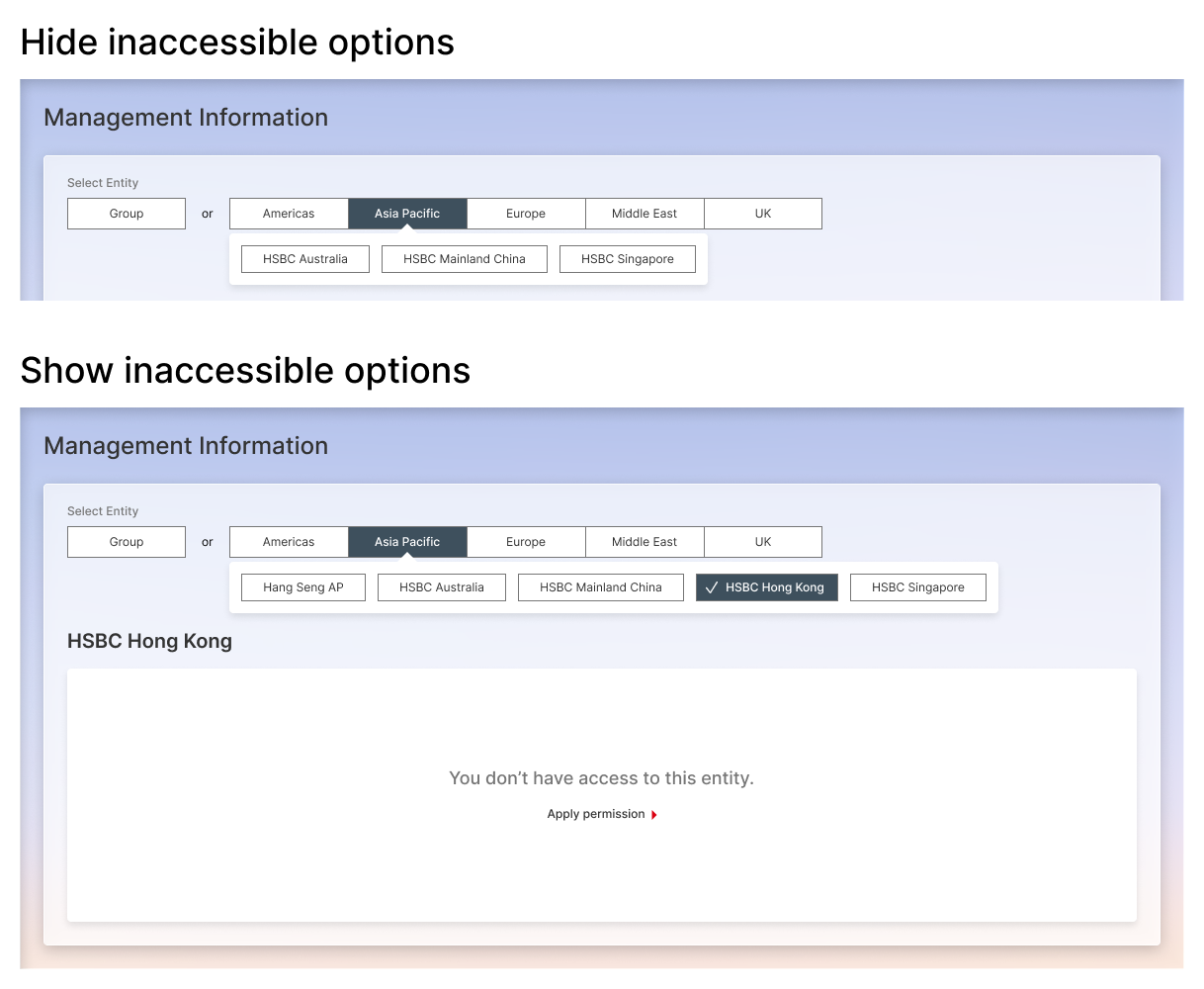
Our teammates held differing views on this design. To resolve this, I conducted research and interviews with our users, presented the trade-offs, and aligned everyone on displaying all options for two reasons:
- Our key users are senior managers, who typically oversee data across all regions. Instead of hiding inaccessible areas, it is better to provide a path for them to request access.
- Region visibility is not sensitive information. Hiding options may cause misunderstandings, such as the impression that the system is unable to fetch data from those areas.
Above are some samples during the design process. The complete solution is more complicated than presented here, such as involving additional read and write permissions in certain features. Managing the complexity of entitlements was one of the biggest challenges, which we successfully overcame.
Design System
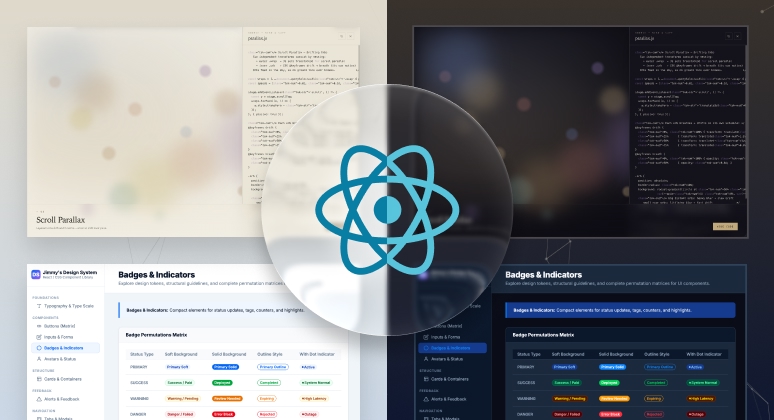
We built the design system based on the bank's global design guidelines, and introduced some UI style innovation, such as the glassmorphism visual effect.
We aimed to fully support dark mode from the very beginning. Users can switch between light mode and dark mode at any time.
Below are some examples from the design system:

Color palette and typography
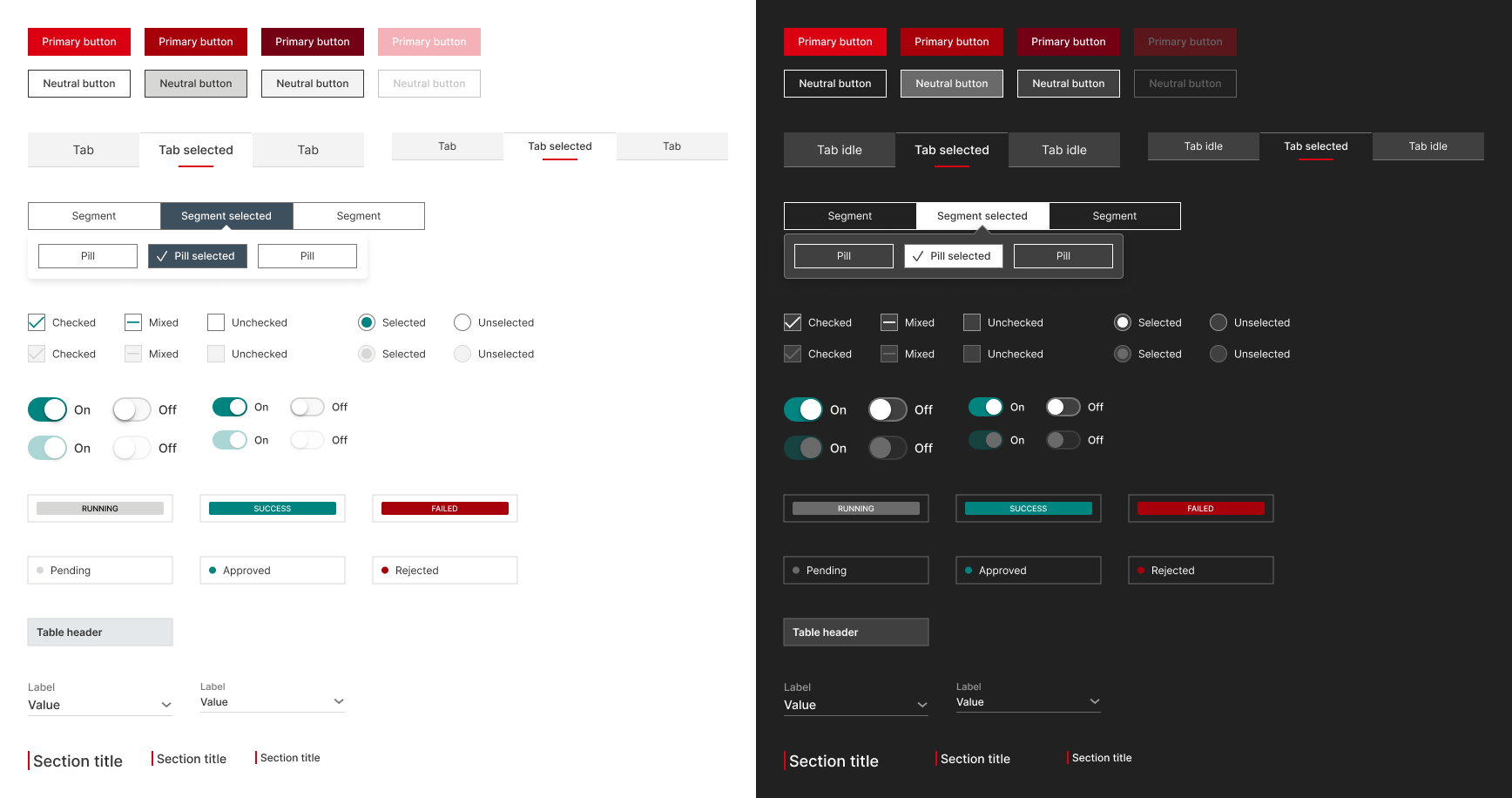
UI components

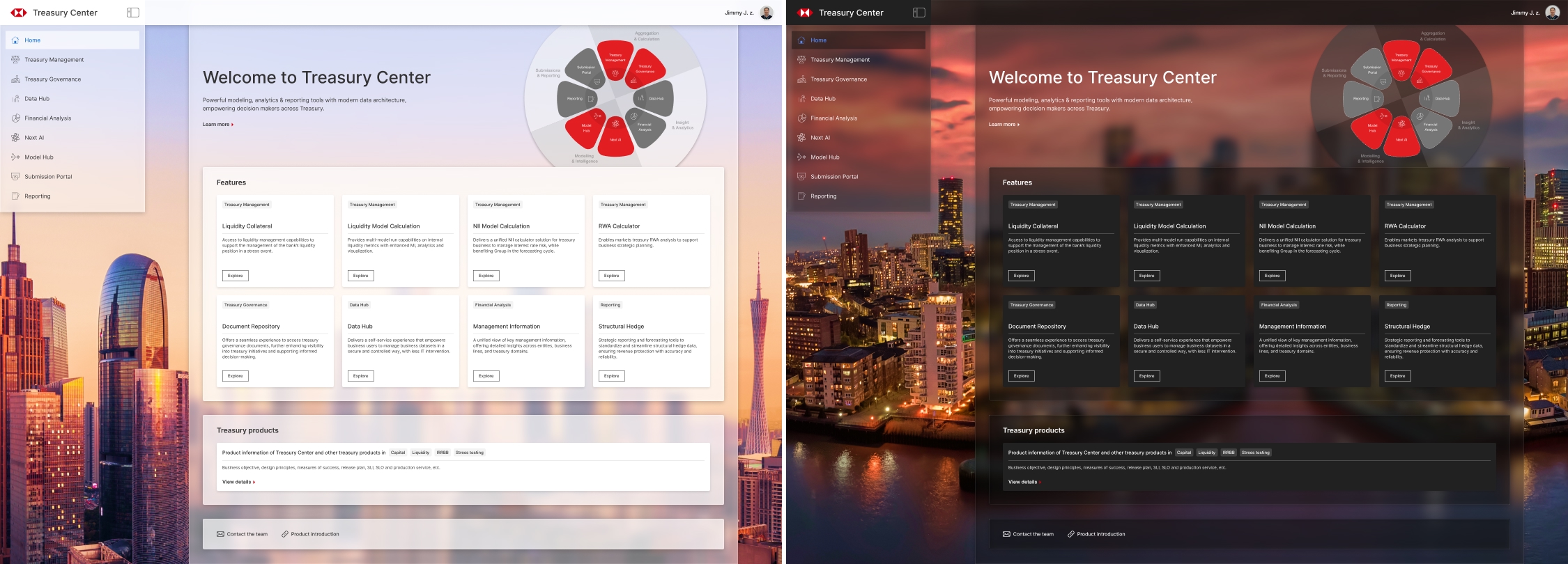
Glass material UI panel
The glass material creates depth and hierarchy, while its semi-transparent design keeps the UI light and gives users a constant sense of context.
In light mode, we chose a photo of the city where most teammates are located as the background image. While in dark mode, we followed the same concept but used a photo of the city where our leaders are located.
Retrospective
What I learned from this experience:
- There is no 'absolutely right or wrong' design in some cases. What feels intuitive to one user may not work for another.
- Respect users' existing behavior, and make changes cautiously.
- Break down complex problems into a step-by-step solution.
- Explore as many edge cases as possible, before handing over the design to development.